Wedding QR Code Sign Generator
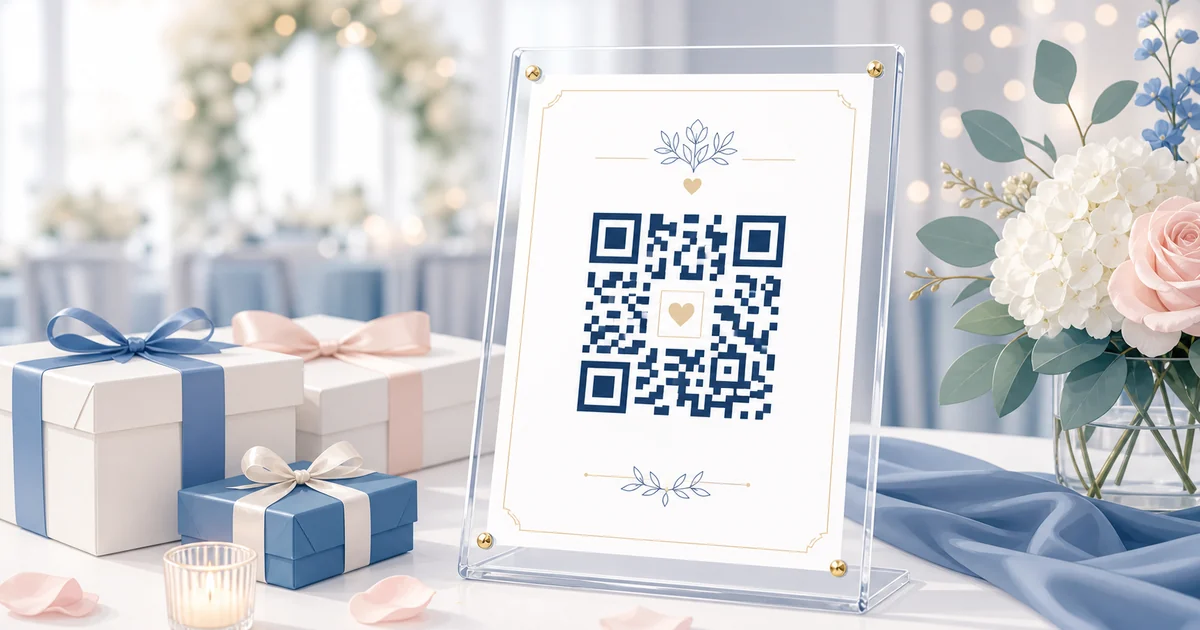
A wedding QR code sign only works if guests immediately understand what to do and can scan it easily. The wording needs to be short, the QR code needs enough contrast, and the sign needs to fit the place guests will see it.
Use this generator to create a practical wedding QR sign for welcome tables, bars, reception tables, guest books, photo booths, and digital displays. Choose wording, pick a print size and visual style, preview a real QR code from your upload link, then download a PNG or SVG sign.
How It Works
- Choose the sign placement: Pick welcome table, bar, reception table, or photo booth so the wording and size match the real setting.
- Customize the wording and style: Add names, date, tone, visual style, and sign size so the download feels ready for a wedding sign frame or Canva design.
- Add the real QR destination: Create a Guest Clicks event for the no-app upload page, paste the upload link, then download the finished sign with the QR code embedded.
Why This Tool Exists Outside the Account
Couples and planners often design signs before the event gallery is created. A public tool lets them solve the visible planning problem first: what should the sign look like and say so guests actually scan it? Guest Clicks becomes the next step because the finished sign still needs a real upload link, QR code, private gallery, moderation, and downloads.
What You Can Download
- A print-ready PNG sign for simple printing or sharing with a stationer.
- An SVG sign for cleaner import into Canva, design tools, and print workflows.
- A standalone QR code PNG when you paste a real upload link.
- Copy-ready wording if you already have an Etsy or Canva sign template.
What Good Wedding QR Sign Wording Includes
- A clear action
- Use direct language like scan, upload, or share. Guests should know what to do without asking a coordinator.
- The no-app promise
- Mentioning no app needed removes the most common objection before it forms.
- A reason to participate
- Remind guests that their candid photos help capture the memories the couple will not see from the head table.
Best Places to Use This Sign
- Welcome table signs where guests first arrive.
- Bar and cocktail-hour displays where people already have phones out.
- Dessert tables, guest book areas, and photo booth backdrops.
- Small table cards for large receptions where one sign is not enough.
SEO and Planning Tip
Searchers looking for wedding QR code signs usually need a practical artifact, not a sales pitch. A downloadable sign generator gives them something useful immediately while introducing the no-app upload workflow in context: make the sign first, then create the Guest Clicks event that makes the QR code work.
Frequently Asked Questions
Do guests need to download an app?
No. Guest Clicks uses browser-based QR code uploads, so guests scan the code and upload from their phone without installing an app or creating an account.
Can I start for free?
Yes. The free plan is built for smaller events and lets you test the QR code workflow before deciding whether to upgrade for more storage.
Where do I get the actual QR code?
Create a Guest Clicks event to get the private upload page and QR code. You can then paste the upload link into the public sign tool to preview the final sign, or download the QR code from your event dashboard.
The sign is ready. Now create the upload page.
Guest Clicks creates the private no-app upload page, scannable QR code, gallery, moderation tools, and downloads that make the sign useful at the wedding.
Create Free Wedding EventExplore Guest Clicks
- Home
- Features built for simple guest photo collection
- Pricing for QR code photo sharing
- Why Guest Clicks exists
- Contact Guest Clicks
- Event photo sharing tips and guides
- Guest Clicks help center
- Guest Clicks privacy policy
- Guest Clicks terms of service
- Wedding photo sharing without the friction
- Corporate event photo sharing that attendees actually use
- Birthday photo sharing without chasing guests
- Wedding QR Code Sign Generator
- Disposable Camera Cost Calculator
- QR Code Scan Size Calculator
- Event Photo Sharing Wording Generator
- Guest Clicks vs Google Photos
- Guest Clicks vs WedUploader
- Guest Clicks vs GuestPix
- Guest Clicks vs The Guest
- Disposable Cameras vs QR Code Photo Sharing
- Disposable Camera Alternatives for Events
- Wedding QR Code Sign Templates
- Guest Clicks Facts
- How to Collect Wedding Guest Photos
- Wedding Photo Sharing QR Code
- Wedding Photo Sharing Without an App
- Best Wedding Photo Sharing Apps
- Wedding Guest Photo Upload Link
- Corporate Event Photo Sharing QR Code
- Conference Photo Sharing
- Company Party Photo Sharing
- Event Photo Moderation for Corporate Events
- Internal Event Photo Collection
- Birthday Party Photo Sharing QR Code
- Graduation Party Photo Sharing
- Reunion Photo Sharing
- Baby Shower Photo Sharing
- What Disposable Cameras Really Cost Per Usable Wedding Photo
- Wedding Photo Collection Checklist
- Corporate Event Photo Privacy Checklist
- Google Photos Event Sharing Alternatives
- Wedding Photo Sharing App Alternatives
- Wedding Vendor Photo Resources