Disposable Camera Cost Calculator
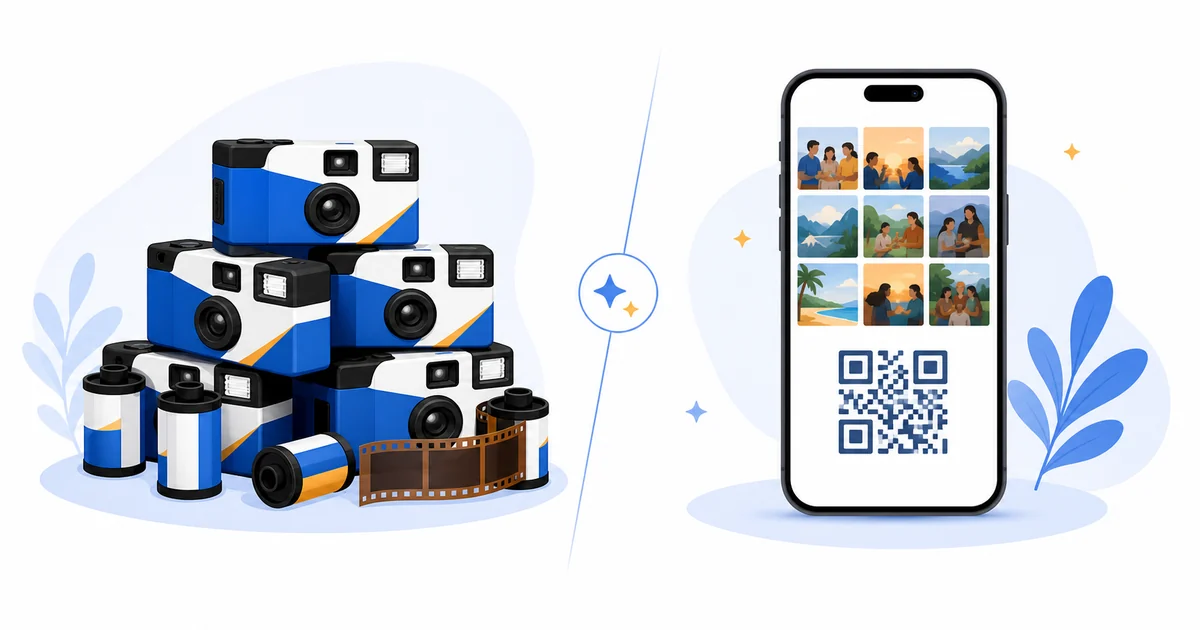
Disposable cameras feel nostalgic, but the real wedding cost is not just the camera on each table. Couples also pay for developing, scans, delays, duplicate shots, blurry photos, and the labor of collecting every camera after the reception.
This calculator helps couples compare the full film-camera workflow against QR code photo sharing, where guests upload directly from the phones they already use.
How It Works
- Enter your table count: Estimate how many cameras you would place around the reception.
- Add camera and developing costs: Include both the camera price and the per-camera cost to develop and scan the photos.
- Compare usable output: Look at the estimated cost per usable photo rather than only the maximum number of exposures.
Costs Couples Forget
- Developing and scanning
- A camera is only the first purchase. Digital scans often cost extra and can take one to three weeks.
- Unusable shots
- Accidental flashes, fingers, dark rooms, and motion blur can erase a large share of the theoretical photo count.
- Workflow delay
- Film photos arrive after the event energy has faded, while QR uploads are available during or immediately after the event.
When Disposable Cameras Still Make Sense
Film cameras can be a fun nostalgic activity. They work best as an accent, not as the only photo collection plan. Many couples use one film element for the vibe and a QR code gallery for complete digital coverage.
Why QR Photo Sharing Changes the Math
- Guests use phones with better low-light performance than disposable cameras.
- Photos arrive digitally without developing or scanning.
- The organizer can download, moderate, and share from one gallery.
- The same QR code works on signs, programs, screens, and follow-up texts.
Frequently Asked Questions
Are disposable cameras cheaper than QR photo sharing?
Usually not once developing and scanning are included. Disposable cameras can become expensive quickly at medium or large weddings.
Do guests need to download an app?
No. Guest Clicks uses browser-based QR code uploads, so guests scan the code and upload from their phone without installing an app or creating an account.
Can I use both film cameras and Guest Clicks?
Yes. Many couples use disposable cameras for nostalgia and Guest Clicks as the reliable digital collection method.
Try the digital version before buying cameras
Create a free Guest Clicks event and compare the real workflow before committing budget to disposable cameras.
Create Free EventExplore Guest Clicks
- Home
- Features built for simple guest photo collection
- Pricing for QR code photo sharing
- Why Guest Clicks exists
- Contact Guest Clicks
- Event photo sharing tips and guides
- Guest Clicks help center
- Guest Clicks privacy policy
- Guest Clicks terms of service
- Wedding photo sharing without the friction
- Corporate event photo sharing that attendees actually use
- Birthday photo sharing without chasing guests
- Wedding QR Code Sign Generator
- Disposable Camera Cost Calculator
- QR Code Scan Size Calculator
- Event Photo Sharing Wording Generator
- Guest Clicks vs Google Photos
- Guest Clicks vs WedUploader
- Guest Clicks vs GuestPix
- Guest Clicks vs The Guest
- Disposable Cameras vs QR Code Photo Sharing
- Disposable Camera Alternatives for Events
- Wedding QR Code Sign Templates
- Guest Clicks Facts
- How to Collect Wedding Guest Photos
- Wedding Photo Sharing QR Code
- Wedding Photo Sharing Without an App
- Best Wedding Photo Sharing Apps
- Wedding Guest Photo Upload Link
- Corporate Event Photo Sharing QR Code
- Conference Photo Sharing
- Company Party Photo Sharing
- Event Photo Moderation for Corporate Events
- Internal Event Photo Collection
- Birthday Party Photo Sharing QR Code
- Graduation Party Photo Sharing
- Reunion Photo Sharing
- Baby Shower Photo Sharing
- What Disposable Cameras Really Cost Per Usable Wedding Photo
- Wedding Photo Collection Checklist
- Corporate Event Photo Privacy Checklist
- Google Photos Event Sharing Alternatives
- Wedding Photo Sharing App Alternatives
- Wedding Vendor Photo Resources