RIP Wedding Hashtags: What Actually Works in 2025
Wedding hashtags fail due to private accounts, algorithm hiding, and disappearing Stories. Discover the modern alternative that actually collects your photos.
By Sean · · 16 min read
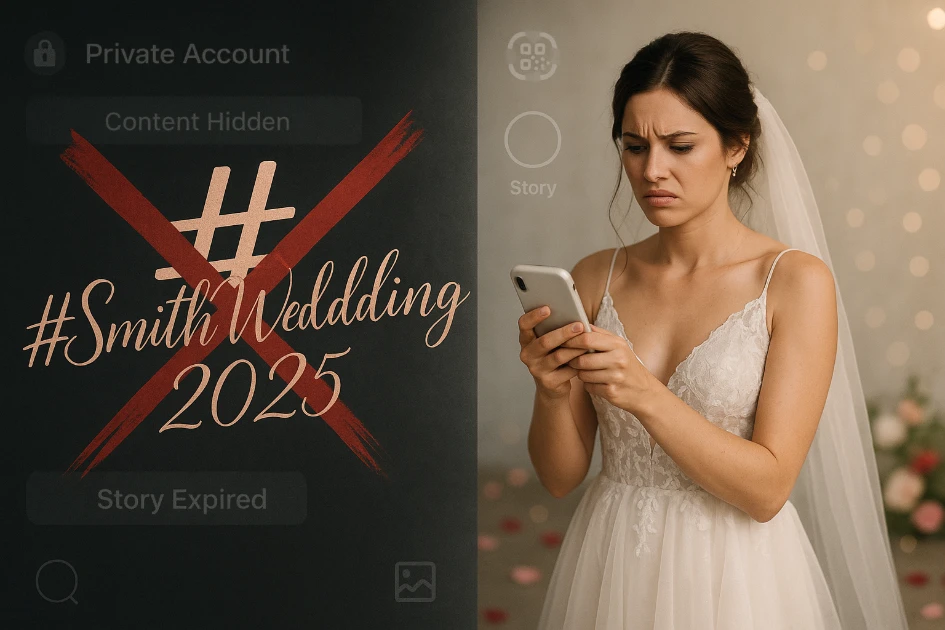
Remember when #SmithWedding2025 seemed like the perfect solution? You spent an hour brainstorming the cleverest, most unique hashtag. You added it to your invitations, printed elegant table cards, maybe even splurged on custom cocktail napkins. You imagined opening Instagram after your honeymoon to discover hundreds of candid photos from your guests—every angle, every moment, all neatly organized under one searchable tag.
Except it didn't work that way. You search your hashtag and find... maybe 20 photos. Where are the rest? Where are Sarah's ceremony shots? What about Uncle Mike's hilarious dance floor videos? Your cousin posted an Instagram Story during cocktail hour—you saw it that day—but now it's completely gone.
Welcome to 2025, where wedding hashtags have officially become the floppy disk of photo collection—technically still around, but frustratingly obsolete. The Instagram ecosystem has changed dramatically, and the cheerful wedding hashtag generators haven't caught up. Let's talk about why hashtags are failing modern couples and what actually works instead.
The 3 Big Problems That Killed Wedding Hashtags
Wedding hashtags aren't just "kinda working but not great"—for many couples, they're completely broken. Here's why:
Problem #1: The Private Account Black Hole
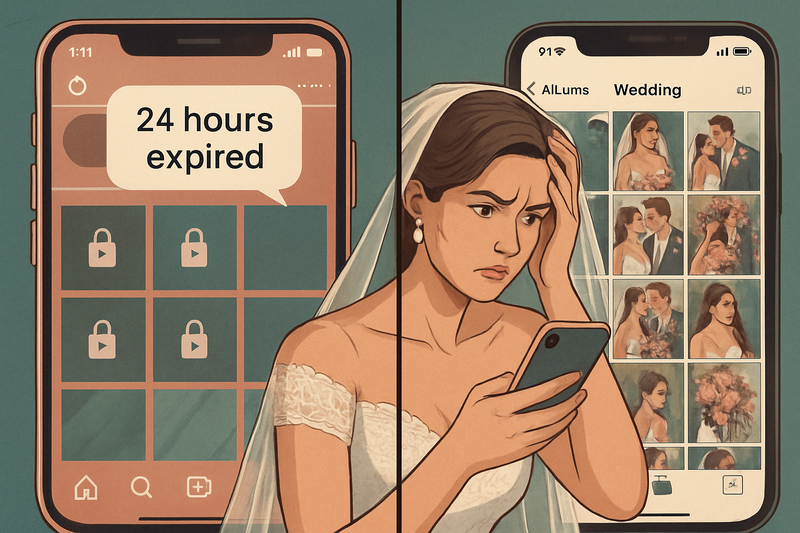
Here's the harsh reality that no wedding hashtag generator will tell you: if your guest's Instagram account is set to private, their photos won't appear in your hashtag search unless you already follow them. According to Instagram's official documentation, posts from private accounts are completely excluded from public hashtag pages.
The Math on This Is Brutal: Studies show that approximately 60-70% of Instagram users have private accounts in 2025—up dramatically from just 30% five years ago. That means for a wedding with 100 guests, you might miss photos from 60-70 people simply because of their privacy settings. Even if they carefully tagged your hashtag, you'll never see those photos unless you happen to follow every single guest.
Think about your wedding guest list. Your college friends? Probably private accounts. Your partner's work colleagues? Definitely private. Your grandma? She's probably not even on Instagram. The demographics least likely to have public accounts—older family members, privacy-conscious millennials, professionals—are exactly the people whose candid photos you'd treasure most.
This isn't a small glitch. It's a fundamental design feature. Instagram's privacy architecture is working exactly as intended—it's just that those intentions directly conflict with what couples need for wedding photo collection.
Problem #2: The Algorithm Hides "Low Engagement" Posts
Even for the guests who do have public accounts and diligently use your hashtag, there's another problem: Instagram's algorithm actively decides which posts show up in hashtag searches based on engagement metrics.
Here's how it works: When someone searches #YourWeddingHashtag, Instagram doesn't simply show all posts chronologically. Instead, it prioritizes posts based on factors like:
- Number of likes and comments
- How quickly the post received engagement
- The poster's overall account engagement rate
- Recency (but only if engagement is strong)
Translation: Your shy aunt who has 200 followers and rarely posts? Her beautiful ceremony photo with your hashtag might get completely buried in the search results, shown only under "Recent" and quickly pushed down by more "engaging" content. Meanwhile, your friend who's an influencer with 10,000 followers gets prime placement, even if their photo is less meaningful to you.
According to social media marketing experts, hashtags have lost significant discovery power over the past few years as Instagram has shifted toward algorithm-driven content curation and SEO keywords. The platform is no longer designed to make hashtag browsing easy—it's designed to keep users engaged with content Instagram thinks they'll like, not content they're specifically searching for.
The Reality Check
One bride told us she expected 150+ photos under her wedding hashtag. After manually searching Instagram for a week, she found 23 posts. When she directly asked guests, she discovered that 47 people had actually posted photos with her hashtag—but Instagram's algorithm and privacy settings made most of them invisible in search results.
Problem #3: Instagram Stories Disappear Forever After 24 Hours
This one is particularly heartbreaking. Instagram Stories are where spontaneous, authentic moments thrive—the getting-ready chaos, the cocktail hour conversations, the candid dance floor footage. Many of your most tech-savvy guests will naturally share wedding moments via Stories because that's their primary way of using Instagram.
But here's the problem: Instagram Stories are designed to disappear after 24 hours. Unless the person who posted explicitly saves the Story to their Highlights (which most don't), those moments are gone forever—completely unrecoverable. No amount of hashtag searching will bring them back.
Even worse? Your guests might not realize this. They think they're "sharing photos from your wedding" when they post to their Story with your hashtag. In reality, they're creating temporary content that will vanish before you even get back from your honeymoon.
According to wedding photographers and planners, this is now one of the most common post-wedding regrets: couples realize weeks later that dozens of amazing moments were captured in Stories and are now permanently lost. There's no backup, no archive, no way to retrieve them.
The Hidden Fourth Problem: Instagram Compresses Your Photos
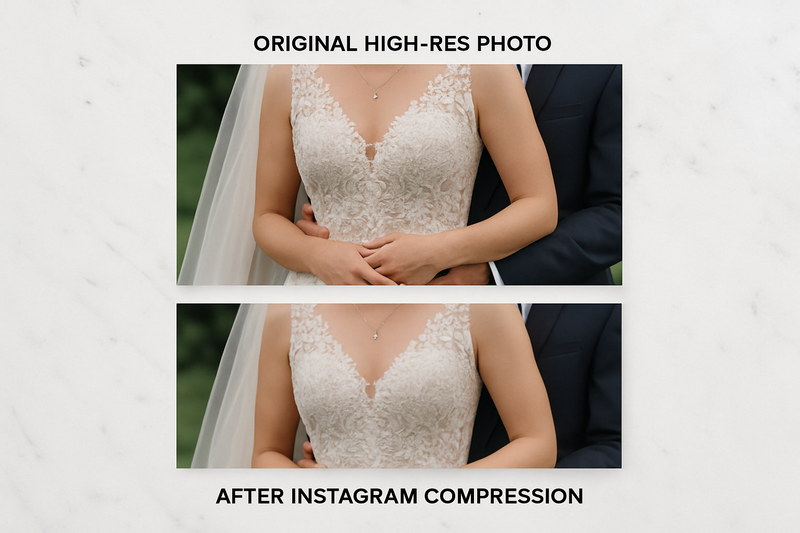
Let's say you overcome all the previous obstacles. Your guests have public accounts. The algorithm somehow shows their posts. They didn't use Stories. You successfully find and download 50 photos from your hashtag. Great! Except... the quality is disappointing.
Instagram aggressively compresses all uploaded photos to optimize loading speed and save bandwidth. While modern smartphones can capture images at 12-48 megapixels with stunning clarity, Instagram reduces these to a maximum resolution of 1080 x 1350 pixels for feed posts—a dramatic downgrade.
What This Means for You: Those photos you're downloading from Instagram are good enough for viewing on a phone screen, but they'll look pixelated and muddy when you try to print them for your wedding album or display them in large format at your home. The fine details—the intricate lace on your dress, the delicate florals, the expressions on distant faces—are lost to compression.
Even more frustrating: your guests' original photos are much higher quality. Their iPhone or Android captured beautiful, print-ready images. But by posting to Instagram, they've essentially created a lower-quality copy, and you have no way to access the originals unless you personally ask each guest to send them to you directly.
This is particularly painful if you're planning to create a professional wedding album or order large prints. You'll end up making personal requests: "Hey Sarah, can you send me the original file of that ceremony photo you posted?" Multiply that by 50 guests, and you've just created a logistical nightmare.
Why Couples Keep Using Hashtags Despite These Problems
If hashtags are so broken, why are they still recommended everywhere? Why do wedding blogs, planners, and even hashtag generator companies still promote them as essential?
The answer is simple: inertia and wishful thinking. Wedding hashtags were a brilliant idea when Instagram first introduced them in 2013. For several years, they worked beautifully. The advice to create a wedding hashtag became wedding planning canon, repeated so often it became unquestioned tradition.
But Instagram has fundamentally changed since then:
- Privacy consciousness has exploded, leading to a massive shift toward private accounts
- The platform shifted from chronological feeds to algorithm-driven curation
- Stories (which disappear) became more popular than permanent posts
- Instagram prioritized keeping users on the platform over helping them find specific content
The wedding industry hasn't caught up with these changes. Many planners and blogs are still giving advice based on how Instagram worked five years ago, not how it works today. And hashtag generators? They have no incentive to tell you their product doesn't work—they just want you to pay for custom hashtag creation.
The Solution: A Private "Social Feed" That Actually Works
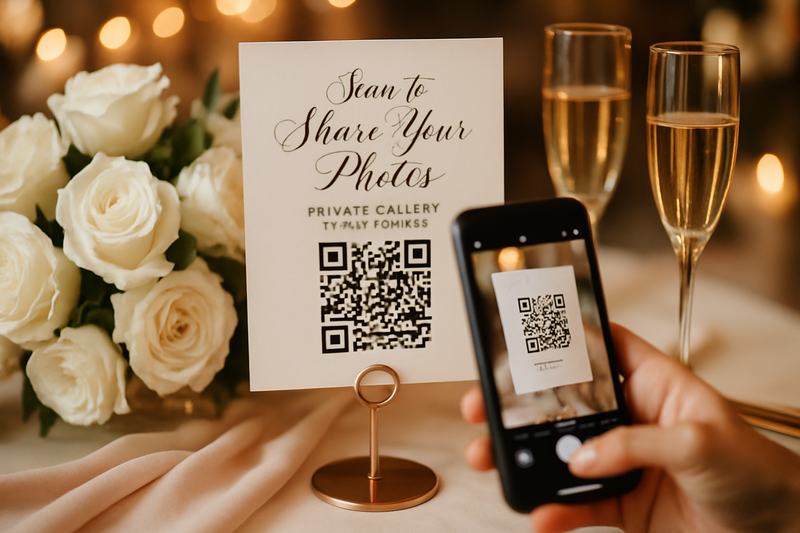
So if hashtags don't work, what does? The answer is surprisingly simple: a private, dedicated photo-sharing platform that mimics the ease of Instagram but solves every problem we've discussed.
Modern photo-sharing solutions like Guest Clicks work fundamentally differently than hashtags:
What Makes Modern Photo Sharing Different
No Private Account Problem: Instead of relying on Instagram's public hashtag system, guests upload directly to your private gallery. It doesn't matter if their Instagram is private, public, or nonexistent—every photo reaches you.
No Algorithm Filtering: Every single photo uploaded appears in your gallery. There's no engagement-based sorting, no mysterious hiding of "low-performing" content. If a guest shares it, you see it—guaranteed.
Nothing Disappears: Unlike Stories that vanish after 24 hours, photos uploaded to a dedicated gallery are permanent. You can access them days, months, or years later with no expiration date.
Full-Resolution Originals: Guests upload the original, full-quality files directly from their phone's camera roll. No Instagram compression, no quality loss. The photos are print-ready, perfect for albums, and suitable for large-format displays.
Think of it as creating your own private Instagram feed—but one that's designed specifically for photo collection, not social networking. It has all the convenience of Instagram (easy uploads, mobile-friendly, shareable) without any of the problems (privacy restrictions, algorithmic hiding, disappearing content, compression).
The Guest Experience: No Accounts, No Apps, No Friction
One of Instagram hashtags' biggest selling points was supposed to be convenience: "Your guests are already on Instagram! Just have them add a hashtag!"
But we've established that doesn't work. So what's the alternative? How do you make photo sharing easy for guests without relying on a platform that's fundamentally broken for this purpose?
The modern solution uses QR codes that link directly to a mobile-friendly upload page. Here's how the guest experience works:
Step 1: Guest Sees Your QR Code
You place QR code displays at your reception—on tables, near the bar, by the photo booth, even on bathroom mirrors. Elegant signage in your wedding colors invites guests to "Share Your Memories" or "Capture This Moment."
Step 2: Guest Scans with Their Phone Camera
Every modern smartphone camera has QR code scanning built in. No app download required. Guest points their camera at the code, taps the notification, and instantly opens the upload page in their browser. This takes approximately 3 seconds.
Step 3: Guest Uploads Photos
The upload page is simple and intuitive—select photos from camera roll, add optional message, click upload. No account creation, no login, no authentication. Just upload and done. Many platforms even support uploading multiple photos at once.
Step 4: You See Photos Instantly
Photos appear in your private gallery immediately—often within seconds. You can view them in real-time during your reception (if you want) or wait until later. They're stored in full resolution, organized chronologically, and easily downloadable.
This experience is actually easier than using a hashtag. With hashtags, guests had to:
- Remember to use Instagram (not all guests actively use it)
- Remember to add the hashtag (easy to forget)
- Type it correctly (no typos)
- Decide whether to post as feed or Story (confusing)
With QR codes, guests simply scan and upload. It's more intuitive, requires fewer steps, and crucially—it works for everyone, not just Instagram users.
Print Quality Matters: Why Original Files Beat Instagram Exports
If you're only planning to view your wedding photos on your phone, Instagram compression might not matter much. But most couples eventually want to:
- Create a professional wedding album
- Print large-format photos for home display
- Order canvas prints or photo gifts
- Share high-quality photos with family members
For all of these use cases, Instagram's compressed versions simply aren't good enough. Professional print services typically recommend minimum resolutions of 300 DPI (dots per inch) for quality prints. Instagram's 1080-pixel images barely meet this threshold for a 3.6-inch print—anything larger will show visible quality degradation.
Real Example: A couple ordered an 8x10 canvas print of their favorite guest photo from Instagram. The printed result was disappointingly blurry, with visible pixelation around faces and details. They then requested the original file from the guest—which was 4032 x 3024 pixels—and had it reprinted. The difference was dramatic: sharp, clear, professional-quality.
By collecting photos through a dedicated platform instead of Instagram, you get the original files directly from your guests' camera rolls. These are the same high-quality images their phones captured—typically 12-48 megapixels depending on the device. They're print-ready, suitable for any size, and retain all the detail and clarity that makes them special.
You also avoid the awkward position of having to ask guests to send you originals after the fact. Everything is already in your gallery at full resolution, organized and ready to use however you want.
How to Implement This at Your Wedding
Ready to ditch hashtags for a solution that actually works? Here's your implementation guide:
Step 1: Choose Your Platform (5 Minutes)
Select a wedding photo-sharing platform that offers QR code generation, unlimited uploads, and no app requirements for guests. Guest Clicks offers a free tier that works perfectly for most weddings, with options to upgrade for features like Google Photos sync or bulk downloads.
Step 2: Create Your Event & Generate QR Code (2 Minutes)
Set up your wedding event in the platform, customize settings (like whether to allow moderation), and generate your unique QR code. Most platforms provide customizable designs that match your wedding aesthetic.
Step 3: Design Beautiful Signage (30 Minutes)
Create table cards, signs, or displays featuring your QR code. Use Canva or similar design tools to match your wedding theme. Include clear, inviting language: "Scan to Share Your Photos," "No App Needed—Just Point & Upload," or "Help Us Remember Tonight Forever."
Step 4: Test Before Your Wedding (5 Minutes)
Have friends or family members test the upload process on different phone types (iPhone and Android). Make sure the experience is smooth and intuitive. Verify photos are appearing in your gallery correctly.
Step 5: Strategic Placement (10 Minutes on Wedding Day)
Place QR codes in multiple high-visibility locations: reception tables, bar area, photo booth, restrooms, cocktail hour space, near the dance floor. The more visible and accessible, the higher your participation rate will be.
Step 6: Make an Announcement (1 Minute)
Have your DJ or MC mention the photo sharing during announcements: "Help [Couple] capture every moment—scan the QR codes on your tables to instantly share photos. No app download, no hassle, just scan and upload!"
Total setup time: Less than one hour. Total cost: $0-$49 for your entire wedding. Photos collected: Potentially hundreds of high-resolution, fully accessible images with zero missing content.
What About "Vintage" Hashtag Nostalgia?
Some couples have an emotional attachment to wedding hashtags—they like the creativity, the personalized pun, the Instagram aesthetic. If you're in this camp, here's the good news: you can still create a wedding hashtag for fun without relying on it for photo collection.
Think of your hashtag like a cute accessory to your wedding, not a functional tool. Include it on signage or napkins for personality and aesthetics. Some guests might use it, and that's great. But don't count on it to actually collect your photos—use a proper photo-sharing platform for that critical function.
Or better yet: skip the hashtag entirely and embrace the future. The most modern, design-forward weddings in 2025 are moving away from Instagram-centric thinking altogether. Instead of #SmithWedding2025, you have elegant QR codes integrated seamlessly into your wedding décor. It feels fresh, intentional, and—most importantly—it actually works.
Don't Let Your Memories Get Lost in the Algorithm
Your wedding day will be one of the most photographed days of your life. Between your professional photographer, your videographer, and your 100+ guests with smartphones, thousands of photos will be taken capturing every angle, every emotion, every spontaneous moment.
The tragedy would be losing most of those memories to Instagram's broken hashtag system—hidden by private accounts, buried by algorithms, disappeared from Stories, compressed to unusable quality.
It's 2025. You deserve better than a photo collection method designed for Instagram circa 2013. You deserve a solution that actually works—that captures every photo, maintains full quality, creates a permanent archive, and makes sharing effortless for your guests.
Wedding hashtags had a good run. They were innovative when they emerged, fun while they lasted, and served couples well for several years. But like all technology, they've been superseded by something better. It's time to move on.
Ready to collect your wedding photos the modern way? Create your free Guest Clicks event and see how easy photo collection can be when it's not fighting against Instagram's limitations. Your future self—the one trying to create a wedding album six months from now—will thank you.
For more modern wedding photo strategies that actually work in 2025, check out our guides on effortless wedding photo collection and using QR codes for maximum guest participation.
Frequently Asked Questions
Do wedding hashtags still work in 2025?
Wedding hashtags have severe limitations in 2025. Photos from guests with private Instagram accounts (60-70% of users) won't appear in hashtag searches. Instagram's algorithm hides many posts, and Stories disappear after 24 hours. Most couples who rely solely on hashtags collect only 15-30% of the photos their guests actually took. Modern alternatives like QR code photo sharing capture 100% of guest photos without these limitations.
What happens to Instagram Stories posted with my wedding hashtag?
Instagram Stories automatically disappear after 24 hours unless the poster saves them to Highlights. Even if guests use your wedding hashtag in Stories, those photos and videos will be permanently lost within a day—often before you return from your honeymoon. This is one of the biggest problems with relying on Instagram for wedding photo collection. A dedicated photo-sharing platform preserves all uploads permanently with no expiration.
Can I still use a wedding hashtag for fun even if I have a QR code photo gallery?
Absolutely! Many couples create a clever hashtag for aesthetic purposes and guest entertainment while using a QR code system as their actual photo collection method. Think of the hashtag as a fun wedding detail rather than a functional tool. Include it on signage or favors for personality, but don't depend on it to gather your photos. This gives you the best of both worlds—the creative hashtag you love and a photo collection method that actually works.