How to Organize Event Photos After the Party (2026 Guide)
Learn how to organize event photos after the party with proven strategies. Collect, sort, and share memories efficiently using modern tools and workflows.
By Guest Clicks Team · · 11 min read

The confetti has settled, the last guest has gone home, and you're left with memories of a perfect evening—plus a nagging realization that hundreds of photos are scattered across dozens of phones. If you're staring at your own camera roll wondering how to gather everyone else's photos without sending 80 individual text messages, you're not alone. Organizing event photos after the party doesn't have to be a weeks-long project that delays your thank-you notes or keeps you from sharing highlights with loved ones. With the right workflow and modern tools, you can transform that digital chaos into a beautifully curated collection in just a few hours. This guide walks you through a proven system that works in 2026, whether you're planning a wedding, corporate gala, or milestone birthday party.
The Post-Event Photo Challenge: Why Traditional Methods Fail
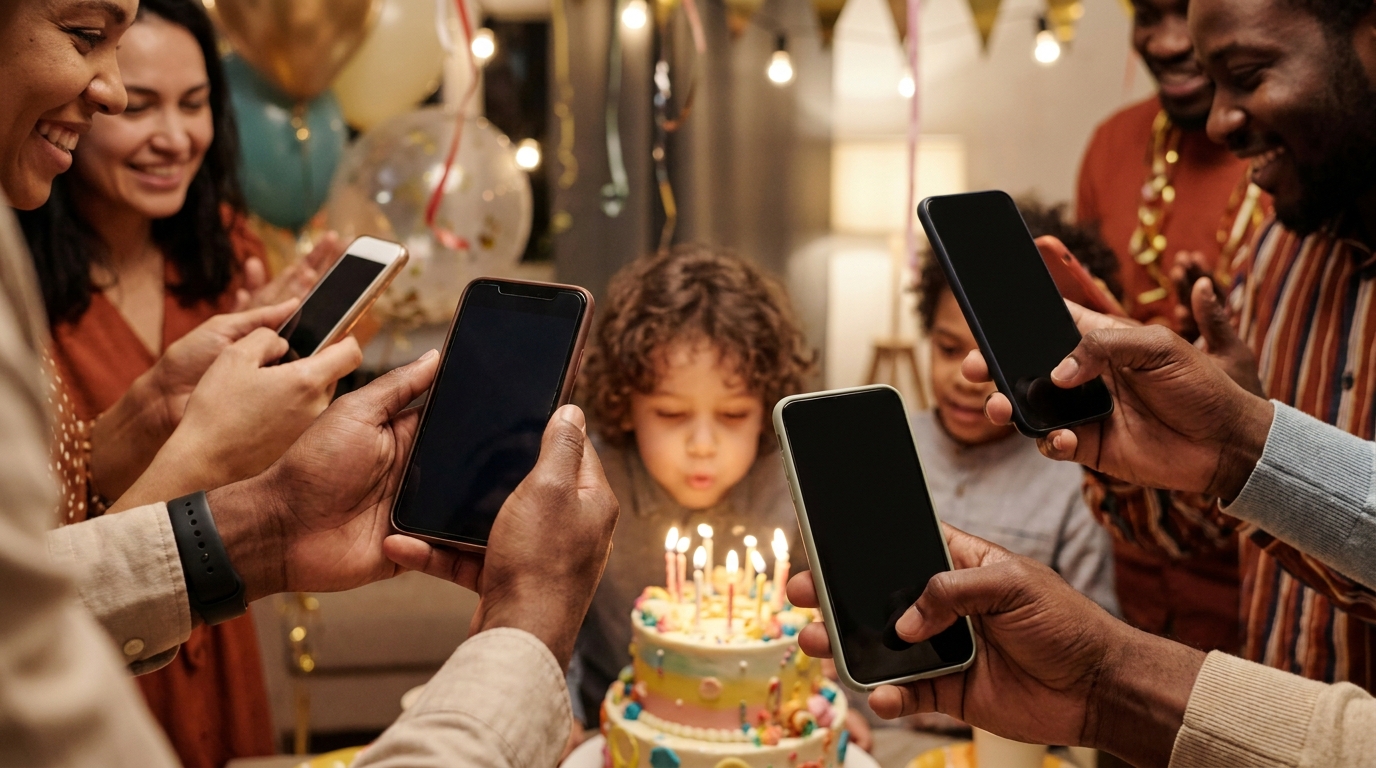
Let's talk numbers. The average event in 2026 generates between 200 and 500 photos across 15 to 30 different phones. That's a treasure trove of candid moments, group shots, and behind-the-scenes memories that tell the complete story of your celebration. But here's the frustrating reality: when relying on traditional collection methods like group texts, email chains, or social media tags, hosts typically lose 60 to 70 percent of those images forever.
Studies show that 68% of event photos taken by guests are never shared with the host when using traditional collection methods like group texts or social media tags.
Consider the classic wedding scenario. The bride spends three weeks after her honeymoon texting 80 guests individually, requesting they dig through their camera rolls from three Saturdays ago. Half the guests forget. A quarter send three random blurry shots out of guilt. The remaining photos arrive piecemeal over a month, long after the emotional momentum has faded.
Or take the birthday party parent who creates a Facebook event album, only to discover that eight out of forty guests actually uploaded photos. The rest remain trapped on phones, eventually deleted to free up storage space. Beyond the lost memories, there's a hidden time cost that most organizers underestimate—manually collecting photos from guests can consume 20 to 30 hours of follow-up work.
Perhaps most importantly, delayed photo sharing reduces guest engagement and emotional impact. When you send thank-you notes two months after the event without visual reminders of the fun everyone shared, you miss a powerful opportunity to reconnect. The longer you wait to organize and share photos, the colder those warm fuzzy feelings become.
Step 1: Set Up Your Collection System Before the Party
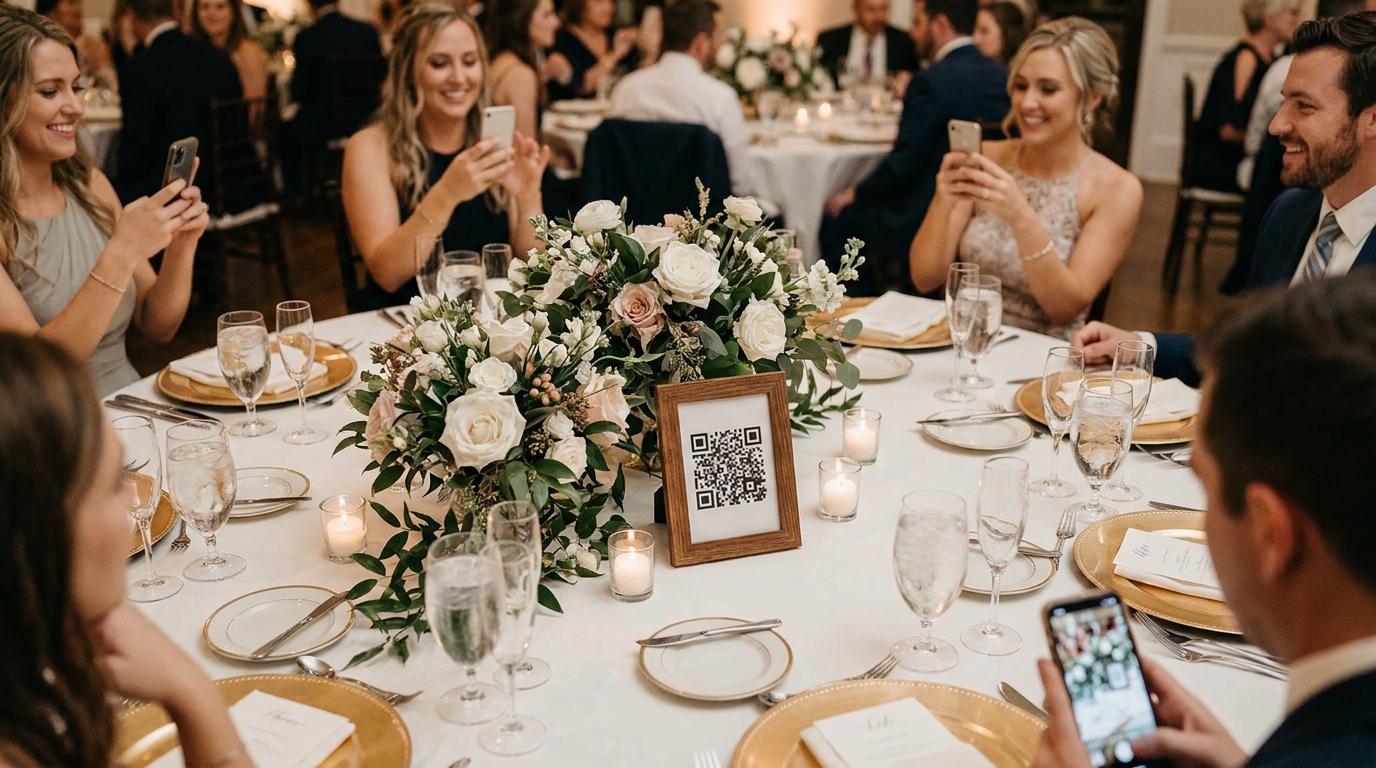
The secret to effortless post-event organization happens before your first guest arrives. Setting up a centralized photo collection system in advance transforms what used to be a logistical nightmare into a seamless experience. Modern QR code solutions have revolutionized this process, allowing guests to upload photos instantly from their phone browser without downloading apps or creating accounts.
When you create a centralized digital album that organizes photos automatically by upload time, you eliminate the sorting headache before it begins. Platforms like Guest Clicks generate a unique QR code for your event that you can display on table centerpieces, welcome signs, or even the cake table. Guests simply scan with their camera app and upload directly through their mobile browser.
Communication is crucial. Don't just hope guests will notice the QR code—make a brief announcement during toasts or speeches about how to share photos. Place reminder cards at each table or include instructions in your printed programs. The more visible and easy you make the process, the higher your collection rate will be.
Events using centralized QR code photo collection systems receive an average of 3.5x more photos than those relying on post-event requests.
📱 Share Your Event Photos Instantly
Attending an event using Guest Clicks? Just scan the QR code with your phone camera and upload your best moments. No app needed — it works right in your browser!

Step 2: Collect Photos from All Sources Efficiently
Once your event concludes, time becomes your enemy. Setting a collection deadline of 24 to 48 hours post-event yields the best results because guests still have the event fresh in their minds and haven't yet cleared their camera rolls. Centralized platforms significantly outperform scattered collection methods like text threads or email chains, which quickly become unmanageable as notifications pile up.
If you're working with a professional photographer, establish a clear workflow for how their images will integrate with guest photos. Many photographers now provide digital galleries within a week, which you can download and merge with your guest submissions for a complete visual record.
Don't hesitate to follow up personally with guests who you know captured important moments—the grandmother who sat by the cake table, the colleague who documented the award ceremony, or the friend with the professional-grade camera. A quick personalized text asking for specific shots often yields better results than mass messages.
Consider this real-world example: An HR manager hosting a corporate celebration for 75 employees used a single QR code system to collect over 300 photos within 24 hours. Compare that to a wedding couple who spent their entire honeymoon manually texting guests and received only 50 photos upon their return. The difference is stark and preventable with proper strategies to encourage guest photo sharing.
Step 3: Sort and Curate Your Event Photo Collection
With hundreds of photos collected, you need a sorting strategy that doesn't overwhelm. The 3-tier method works beautifully: create folders for "Favorites" (the absolute best shots), "Keepers" (good photos worth keeping), and "Archive" (everything else). This approach lets you quickly identify shareable content while preserving memories you might want later.
Start with chronological organization using timestamps and metadata. Most photo management software automatically sorts by date taken, which helps reconstruct the event's natural story flow—from setup through the main moments to the after-party. This timeline approach makes it easier to spot gaps where you might need to request specific photos from guests.
Don't feel guilty about removing duplicates and low-quality photos. If you have twelve nearly identical group shots, keep the two best and archive the rest. Blurry images, accidental pocket shots, and photos where half the subjects have their eyes closed can safely be moved to the archive folder or deleted after 30 days if unneeded.
Once you've curated your best images, create themed sub-albums that tell specific stories. For a birthday party, you might organize albums labeled "Cake Moment," "Games and Activities," and "Group Photos." For corporate events, consider "Team Awards," "Networking Reception," and "Keynote Highlights." This thematic organization makes it easier for guests to find the moments they care about most.
Step 4: Share Organized Photos with Guests and Family
Sharing is where all your hard work pays off, but timing matters immensely. The optimal window to share organized event photos is within 48 to 72 hours post-event—when the emotional connection is still strong and guests are most likely to engage, download, and share.
The optimal time to share organized event photos is within 48-72 hours post-event—when the emotional connection is still strong and guests are most likely to engage, download, and share.
When selecting sharing methods, consider your audience. Password-protected galleries offer privacy for weddings and family events, while public links work well for corporate functions or community festivals. Ensure your chosen platform allows easy downloads so guests can save their favorite memories directly to their devices without complicated workarounds.
Create shareable highlight reels or slideshows for social media, but always link back to the full gallery. A 60-second video of the best moments can generate excitement and drive traffic to the complete collection. For weddings, consider sending personalized thank-you emails that include the gallery link—this doubles as gratitude and photo sharing in one thoughtful gesture.
Corporate teams can leverage these galleries for year-end recaps, marketing materials, or internal newsletters. One marketing team compiled employee uploads from their annual retreat into a highlight video that became their most-engaged LinkedIn post of the quarter. For tips on making these moments visible during the event itself, explore how to display event photos in real time.
Long-Term Storage and Backup Strategies
Your beautifully organized photos deserve protection. Follow the 3-2-1 backup rule: keep three copies of your data on two different media types, with one copy stored offsite or in the cloud. This might mean your primary collection lives on your laptop, a backup sits on an external SSD, and a third copy resides in Google Photos or iCloud.
Cloud storage offers accessibility and automatic syncing but requires ongoing subscription fees for large collections. External hard drives provide one-time costs and physical control but risk damage or loss. For irreplaceable events like weddings, consider both approaches plus creating physical photo books from your curated collections.
Physical albums aren't just nostalgic—they're disaster-proof. Many parents create annual birthday photo books tracking their child's growth, while couples treasure their wedding albums decades later. These books also make meaningful gifts for grandparents who might struggle with digital galleries.
Set calendar reminders to verify your backup integrity annually. Storage devices fail, cloud services change terms, and file formats evolve. A yearly check ensures your memories remain accessible for years to come. For additional storage and sharing options, compare current platforms that specialize in high-resolution photo preservation.
Modern Tools That Simplify Event Photo Organization
The landscape of photo management has transformed dramatically, with QR code-based platforms leading the charge in 2026. These systems eliminate the friction of app downloads and account creation, allowing guests to contribute to your event story within seconds. Real-time galleries mean photos appear instantly as guests upload them, creating a living document of your celebration as it unfolds.
Built-in moderation tools have become essential for larger events. Before photos go live, hosts can review submissions to ensure appropriate content—a crucial feature for corporate gatherings or family events with children. One-click bulk download features let you archive entire collections instantly, saving hours of manual saving.
Guest Clicks exemplifies this new generation of event photo tools. The platform allows organizers to create an event in minutes, receive a unique QR code, and collect unlimited photos and videos from guests using any mobile browser. The free plan accommodates smaller gatherings with 100 photos, while the Premium tier at $49 per year offers unlimited uploads, 10GB of storage, video support, and advanced moderation tools that keep galleries active for a full year.
For event planners looking to streamline their workflow, learning how to create a QR code for event photos takes just minutes but saves hours of post-event work. Additionally, understanding event gallery moderation best practices ensures your shared memories remain appropriate and on-brand. For broader photo sharing strategies and engagement tips, industry resources offer valuable insights into maximizing your visual impact.
Frequently Asked Questions
How long does it take to organize event photos after a party?
With a centralized collection system in place, you can organize 200-300 photos in 1-2 hours using a simple sorting workflow. Without pre-planning, collecting and organizing the same photos can take 2-3 weeks of follow-up messages and manual downloads.
What's the best way to collect photos from guests after an event?
The most effective method in 2026 is using QR code-based photo sharing platforms that let guests upload directly from their phone browser without downloading apps. This approach collects 3-5x more photos than traditional methods like group texts or social media.
Should I organize event photos chronologically or by theme?
Start with chronological organization using timestamps, then create themed sub-albums for specific moments (ceremony, cake cutting, group photos). This dual approach makes photos easy to find while preserving the event's natural story flow.
How can I get guests to actually share their photos after the party?
Set up photo collection DURING the event using visible QR codes and brief announcements. Real-time sharing during the party captures 85% of photos, while post-event requests typically recover only 15-30% of guest photos.
What should I do with low-quality or duplicate event photos?
Archive them rather than delete immediately. Create a 'keepers' folder for quality photos and an 'archive' folder for the rest. After 30 days, if you haven't revisited the archive, you can safely delete duplicates and blurry shots without regret.