How to Get Guests to Actually Share Their Photos in 2026
Tired of chasing guests for photos after your event? Discover 8 proven strategies to collect every guest photo effortlessly—no nagging required.
By Guest Clicks Team · · 14 min read
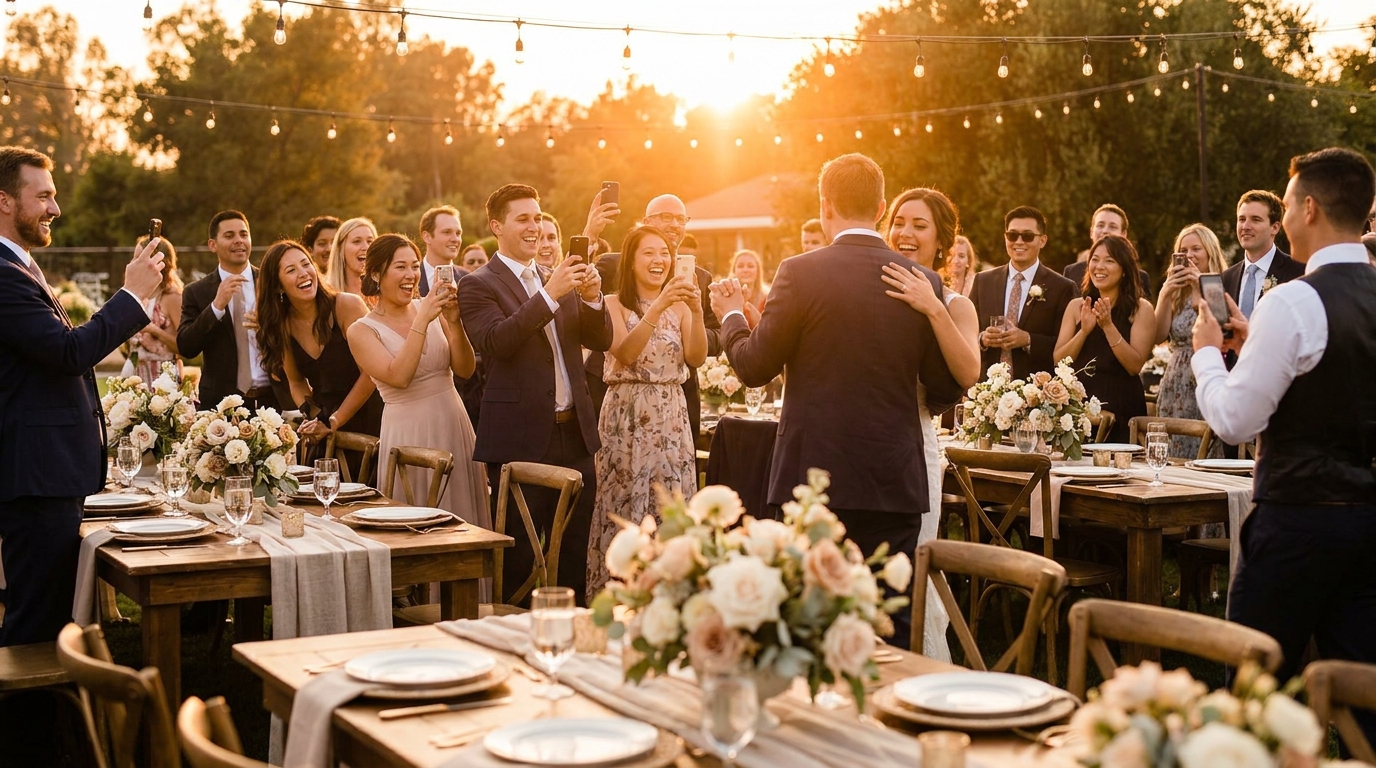
You've spent months planning the perfect event—the venue is stunning, the catering is exceptional, and the guest list is exactly right. But here's the frustration that keeps event organizers up at night: despite having 150 guests armed with smartphones, you end up with only a handful of their photos weeks later. If you've ever sent that dreaded "Please send me your photos!" text into the void and heard crickets in response, you're not alone. The good news? There's a way to flip the script and collect every guest photo without the awkward follow-ups. Let's dive into the psychology and practical strategies that actually work in 2026.
Why Guests Don't Share Photos (And It's Not What You Think)
When guests don't share their photos, it's easy to assume they don't care or they're being selfish with their memories. But the reality is far more nuanced—and much more solvable. The biggest barrier to photo sharing isn't willingness; it's friction and complexity.
Think about the last time you attended a wedding or corporate event. You probably snapped dozens of candid moments: the emotional toast, the dance floor antics, the behind-the-scenes preparation. You genuinely intended to share them with the host. But then life happened. You got home exhausted, your phone got buried in your bag, and three weeks later, that text request feels like a homework assignment you never got around to.
The psychology here is clear: humans are driven by immediate gratification and repelled by cognitive load. When sharing requires downloading an unfamiliar app, creating a new account, compressing file sizes, or remembering a specific hashtag, our brains quietly opt out. We procrastinate, and then we forget entirely.
Research consistently shows that there's a critical 48-hour window after events when guests are most likely to share photos. After that window closes, the mental energy required to dig through camera rolls, select the best shots, and figure out how to transfer them becomes too high a barrier. This explains why traditional post-event collection methods yield such disappointing results.
Consider the typical wedding scenario: the bride sends a group text three weeks after the honeymoon requesting photos. Despite having 120 guests who collectively captured thousands of moments, she receives responses from perhaps 12% of them. Or look at the corporate retreat where HR sends a follow-up email with a Google Drive link—out of 150 attendees, maybe 8 bother to upload anything.
The harsh truth? Approximately 73% of event photos never leave guests' phones. Not because guests don't want to share, but because we haven't made it effortless enough.
The Golden Rule: Make Sharing Easier Than Not Sharing
If there's one principle to tattoo on your event planning brain, it's this: friction is the enemy of participation. Every extra step—every app download, every password creation, every "please wait while we process"—cuts your photo collection rate in half.
In 2026, we've reached a tipping point where technology can finally match our expectations for instant, seamless sharing. The key is eliminating the barriers that have traditionally plagued photo collection. When you require guests to download a specific app, you're immediately losing 60-70% of potential participants. When you ask them to create accounts or remember complex upload URLs, you're filtering out another significant chunk.
The solution lies in leveraging technology that guests already know and use daily. QR codes have become universally understood—everyone from your tech-savvy nephew to your grandmother knows how to scan a code with their phone camera. There's no learning curve, no friction, just point, scan, and upload.
But ease of use isn't just about the technical mechanics. It's also about timing and psychology. Guests are 6 times more likely to share photos when they can do it instantly without downloading an app or creating an account. The dopamine hit of seeing their photo appear in a live gallery immediately after uploading creates a positive feedback loop that encourages more sharing.
Events using QR code photo sharing collect an average of 8-12 photos per guest, compared to just 1-2 photos with traditional post-event collection methods.
Real-world results back this up dramatically. At a recent birthday party using QR codes placed strategically around the venue, 89% of guests uploaded photos. Compare that to the 23% participation rate when the same host used traditional text-message requests the previous year. Festival organizers have seen similar results—those switching from app-based collection to QR-based systems report 4x more photos collected, simply because they removed the friction.
📱 Share Your Event Photos Instantly
Attending an event using Guest Clicks? Just scan the QR code with your phone camera and upload your best moments. No app needed — it works right in your browser!
8 Proven Strategies to Collect Every Guest Photo
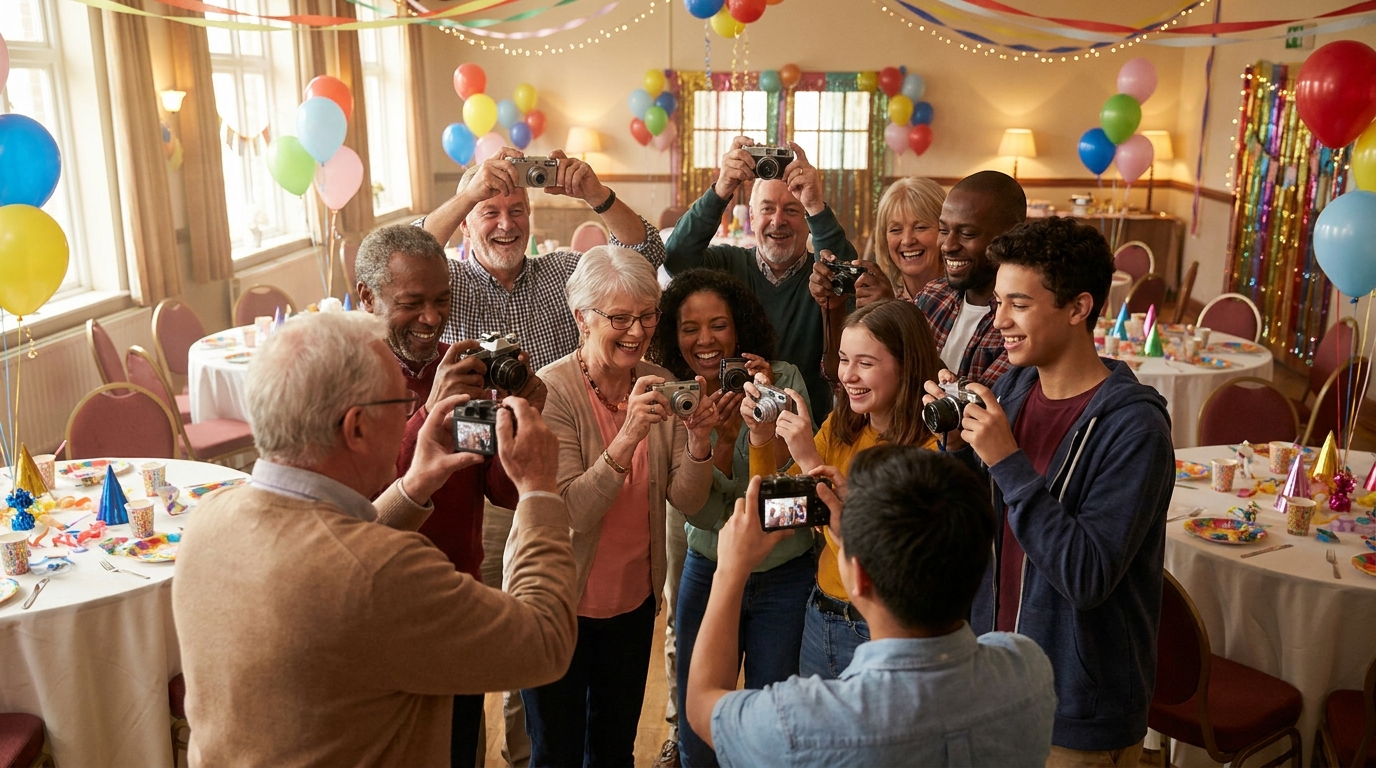
Now that we understand the psychology and technology, let's get tactical. These eight strategies have been tested across weddings, corporate events, birthday parties, and festivals—and they work.
Strategy 1: Set Up a Visible QR Code Station at Your Event Entrance
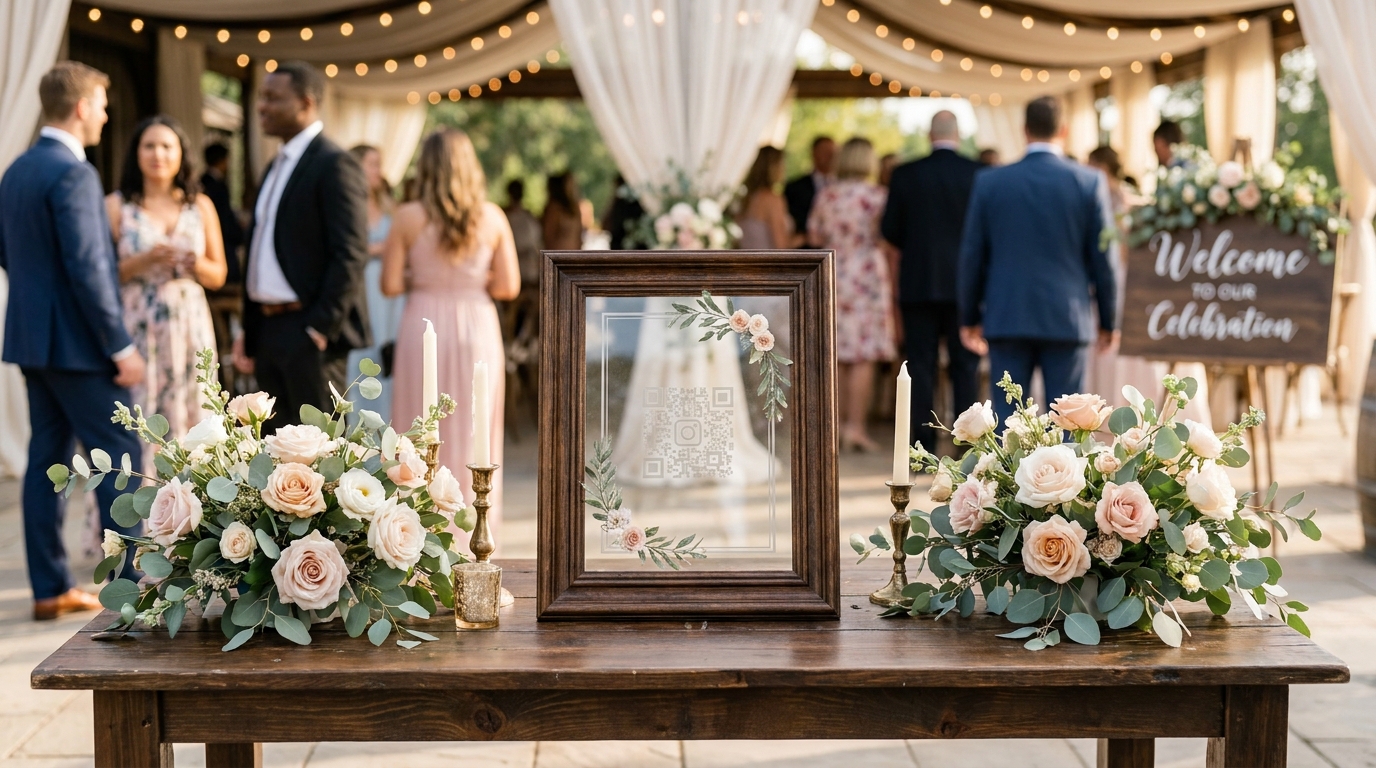
First impressions matter. When guests arrive, they're energized and attentive. Place a beautiful welcome sign with your QR code at the entrance, accompanied by a simple instruction: "Scan to share your photos instantly." This sets expectations immediately and catches guests while they're still in the "event mindset."
Strategy 2: Include Sharing Instructions in Your Invitations and Event Communications
Setting clear expectations before the event dramatically increases photo collection rates. Include a note in your digital invitations or event apps letting guests know there will be an easy way to share photos during the celebration. This primes them to be ready to capture and share moments throughout the event.
Strategy 3: Make an Announcement Early in the Event (Not at the End)
Timing is everything. The first hour of your event is the golden window—73% of photos that get shared are uploaded within the first 60 minutes when excitement is highest. Have your emcee or a member of the wedding party make a brief announcement during cocktail hour or the welcome speech. Don't wait until the end when guests are tired or have already left.
Strategy 4: Place QR Codes at Multiple Locations
Don't make guests hunt for the upload link. Place QR codes on table centerpieces, near the bar, by the photo booth, and in the restroom areas—anywhere guests naturally pause with their phones. At one wedding reception, the couple placed QR codes on each table centerpiece and collected 847 photos from 120 guests.
Strategy 5: Gamify the Experience
Humans love competition and recognition. Consider offering a small prize for the guest who uploads the most photos, or create a "photo challenge" with specific moments to capture (best dance move, funniest face, sweetest couple moment). This encourages quantity while maintaining quality through moderation tools.
Strategy 6: Have a Designated Person Demonstrate the Process
Sometimes guests need to see it once to feel confident. Ask a member of your wedding party or an early-arriving colleague to be the "photo ambassador" who demonstrates how easy the QR scanning process is. Once one person uploads and sees their photo appear instantly, others will follow.
Strategy 7: Display the Live Photo Gallery on a Screen
Nothing drives participation like seeing immediate results. Set up a large screen or monitor displaying the live photo gallery as it populates in real-time. At a recent corporate retreat, organizers displayed the live gallery on a lobby screen and saw engagement increase by 340%. Guests love spotting their own photos and seeing the event from different perspectives.
Strategy 8: Send a Thank-You Message Within 24 Hours
For any guests who didn't upload during the event, strike while the iron is lukewarm. Send a thank-you message within 24 hours (while memories are still fresh) including the QR code or gallery link one more time. Keep it light and grateful rather than demanding.
What Not to Do: Photo Collection Mistakes That Kill Participation
Learning what works is only half the battle. Avoiding these common pitfalls is equally important for maximizing your photo collection.
Mistake 1: Waiting Until After the Event
This is the cardinal sin of photo collection. Once guests leave your venue, you enter the "forgetting zone." An event planner who sent a Google Drive link three days after a 200-person conference received only 34 photos total. The momentum was gone, and the task felt like homework.
Mistake 2: Requiring App Downloads
In 2026, guests expect browser-based solutions. Requiring a specific app download creates immediate resistance. Storage concerns, privacy worries, and simple laziness combine to kill participation. One birthday party host who insisted guests download a photo-sharing app saw only 15% adoption compared to 89% at a similar event using browser-based photo sharing for non-tech-savvy guests.
Mistake 3: Using Complicated Upload Processes
If your upload process involves more than three steps, you've lost. Guests won't resize photos, convert videos, or navigate complex folder structures. They want to select, upload, and done.
Mistake 4: Poor Communication
Assuming guests will "figure it out" or "just text them later" is a recipe for disappointment. One birthday party host who assumed guests would automatically send photos via text received exactly 6 photos from a 40-person party. You must communicate the method clearly and repeatedly.
Mistake 5: Hiding the QR Code or Upload Link
A tiny QR code on the back of a program that gets stuffed in a purse, or a single mention in a speech that gets drowned out by clinking glasses, isn't enough. Visibility and repetition are key.

The Technology That Actually Works: QR Code Photo Sharing
Let's talk specifics about the solution that's revolutionizing event photography in 2026. QR code photo sharing platforms like Guest Clicks have cracked the code on frictionless photo collection by understanding exactly what guests need: immediacy, simplicity, and zero commitment.
Here's how it works: The organizer creates an event in minutes, receives a unique QR code, and places it strategically around the venue. Guests simply point their phone camera at the code—no app download required, no account creation necessary. Their phone browser opens instantly to a mobile-optimized upload page. They select their photos, hit upload, and watch as their images appear in the live gallery within seconds.
This method works across all demographics because it leverages universal technology. Whether your guests are Gen Z digital natives or grandparents attending their first smartphone-era wedding, everyone knows how to scan a QR code in 2026. The process is identical regardless of device—iPhone, Android, or tablet.
But the technology goes beyond simple uploads. Modern platforms offer real-time moderation tools, allowing organizers to curate the gallery without slowing down the guest experience. Password-protected galleries ensure privacy for sensitive events. Video support captures those moments that photos can't—the vows, the speeches, the surprise reveal.
The results speak for themselves. One couple collected over 1,200 wedding photos using QR codes compared to just 150 from their engagement party using traditional methods. An HR manager gathering team-building photos reported 95% participation from attendees using instant QR sharing versus the typical 20-30% with email collection.
For those wondering about how to create a QR code for event photos, modern platforms have streamlined this to under five minutes. You don't need technical expertise or design skills—just an event name and a few preference settings.
Making Photo Sharing Part of Your Event Experience
The most successful events don't treat photo collection as an afterthought—they integrate it into the fabric of the celebration itself. When done right, photo sharing becomes a interactive element that enhances guest engagement rather than a logistical burden.
Start by incorporating photo sharing into your event timeline. Just as you plan the entrance, the toast, and the cake cutting, plan the "photo gallery reveal." Displaying the live gallery on screens throughout the venue creates a collective experience where guests gather to laugh at candid shots and relive moments they missed.
Visual signage matters too. Rather than taping a plain QR code to a wall, create on-brand displays that match your event aesthetic. For weddings, this might mean elegant acrylic stands with gold lettering. For corporate events, branded digital displays. For birthday parties, colorful signs that match the theme. When the photo sharing station looks like it belongs to the decor, guests engage with it naturally.
Training your staff or wedding party to encourage sharing is crucial. A gentle prompt from a server—"Have you scanned the code to share your photos yet? The gallery is looking amazing!"—can nudge hesitant guests. Similarly, having the DJ or emcee reference the growing gallery throughout the night keeps it top of mind.
Don't forget the follow-through. Once you've collected hundreds of photos, turn them into something tangible. Create thank-you cards featuring guest photos, compile highlight reels for social media, or design photo books for the guest of honor. When guests see their contributions valued and showcased, they feel appreciated rather than exploited.
For specific event types, customization is key. Wedding photo collection benefits from placement at the guest book table and near the dance floor. Corporate events work best with lobby displays and integration with real-time photo displays. Birthday parties thrive with enthusiastic announcements and maybe a contest for the funniest caption.
Remember, the goal isn't just to collect photos—it's to create a collaborative memory bank that captures perspectives you never could have gotten on your own. When you lower the barriers and make sharing joyful, you don't just get photos. You get the laughter, the tears, and the unexpected moments that make events truly memorable.
Frequently Asked Questions
How do I get guests to upload photos during an event?
Make it instant and effortless by using QR codes that guests can scan with their phone camera. Place QR codes in visible locations, announce the sharing method early in your event, and display the live photo gallery on a screen to encourage participation. The key is eliminating friction—no apps, no logins, just scan and upload.
Why don't guests share photos after events?
Guests have good intentions but face three main barriers: they forget after the event ends, the sharing process is too complicated, or they don't want to download apps or create accounts. Research shows that 73% of event photos never get shared if guests don't upload them during or immediately after the event.
What's the easiest way to collect photos from wedding guests?
QR code photo sharing is the most effective method for weddings. Place QR codes on table centerpieces, at the entrance, and near the dance floor. Guests simply scan with their phone camera and upload instantly—no app required. This method typically collects 8-12 photos per guest compared to 1-2 with traditional methods.
Do guests need to download an app to share event photos?
No—modern QR code photo sharing platforms work directly in any mobile browser without requiring app downloads. This is crucial because requiring an app reduces participation by 60-70%. Guests simply scan the QR code with their phone's camera and upload photos through their browser.
How long should I wait before asking guests for photos?
Don't wait—set up instant sharing during the event using QR codes. If you must follow up afterward, do it within 24 hours while memories are fresh. Waiting more than 48 hours dramatically decreases your chances of receiving photos, as guests move on mentally and the effort feels like a chore.