Photo Sharing for Non-Tech-Savvy Guests
Discover easy event photo sharing methods that work perfectly for non tech savvy guests. No apps, no confusion—just simple QR codes and instant uploads.
By Guest Clicks Team · · 15 min read

Planning an event, whether it's a wedding, a milestone birthday, or a corporate gathering, involves countless details. You meticulously choose the venue, the food, the music, and the decor, all to create an unforgettable experience. But what about capturing those precious memories? In our smartphone-dominated world, guests are constantly snapping photos, yet somehow, actually collecting those images from everyone often feels like an impossible task. This challenge becomes even greater when you consider your less tech-savvy guests – your beloved grandparents, Aunt Carol who still uses a flip phone, or even colleagues who simply prefer not to download yet another app. The good news? You don't have to sacrifice comprehensive photo collection for ease of use. There's a way to ensure every guest, regardless of their technological comfort level, can effortlessly share their photos, enriching your event's memory bank without a single moment of frustration.
Why Traditional Photo Sharing Methods Fail with Non Tech Savvy Guests
We've all been there. You're at an event, the host asks everyone to download a specific app to share photos, and a collective groan ripples through the room. For many, especially those who aren't glued to their screens, this is an immediate barrier. App download requirements create friction from the get-go. Guests might have limited storage on their phones, be wary of giving yet another app access to their data, or simply find the process of navigating an app store daunting. This isn't just an assumption; statistics show that a significant percentage of guests, particularly those over 55, abandon photo sharing efforts if it requires downloading an app or creating a new account. They simply don't want the hassle of password creation, email verification, or multi-step setup processes.
Think about a wedding scenario where the proud grandparents want to share their candid shots of the happy couple. They love taking photos, but the idea of searching for an app, downloading it, and then figuring out how to upload through an unfamiliar interface can quickly become overwhelming. The precious moments they captured remain stuck on their phone, never making it to the shared album. Similarly, at a large corporate event, international attendees might face language barriers within app interfaces, further complicating what should be a simple process. These technical hurdles don't just reduce photo contributions; they often lead to technical support requests directed at the host, distracting them from enjoying their own celebration.
The core issue is that traditional methods often prioritize the organizer's convenience (or perceived convenience) over the guest's experience. They assume a baseline level of tech proficiency that simply isn't universal. The goal should be to make photo sharing as intuitive and effortless as sending a text message or taking a picture with their own phone. When the process is clunky, complicated, or requires too many steps, you're inadvertently telling a portion of your guests that their contributions aren't worth the effort. And that's a shame, because often, it's the non-tech-savvy guests who capture some of the most authentic, heartfelt, and unique perspectives of your event.
What Makes a Photo Sharing Solution Truly Simple for Everyone
So, what exactly constitutes a truly simple photo-sharing solution for every guest, regardless of their tech comfort level? The answer boils down to eliminating friction and leveraging familiar, built-in smartphone functionalities. The absolute golden rule is a zero-download requirement. Guests should be able to participate directly from their phone's existing browser, just like they would navigate to any website. This bypasses app stores, storage limits, and security concerns, making the barrier to entry virtually non-existent.
The second crucial element is one-step access, ideally via QR code scanning. Modern smartphones (those from the last 5-7 years, which is most phones today) have QR code readers built right into their camera apps. There's no need for a separate QR code scanner app; guests simply point their phone camera at the code, and a notification pops up, taking them directly to the upload page. This is a game-changer for simplicity. Compare this to the multi-step process of finding an app, downloading it, opening it, creating an account, and then locating the specific event. With QR codes, it's a single, intuitive action.
Events using QR code photo sharing see 3x more guest contributions compared to app-based solutions, with participation rates above 70% even among guests over 65.
Beyond access, the interface itself must be visually intuitive. It should mirror familiar actions, like how you select a photo to attach to an email or send in a text message. Large, clear buttons, minimal text, and a straightforward workflow ensure that even an 80-year-old at their grandson's wedding can successfully upload photos. The final touch of simplicity is immediate confirmation. Guests should see a clear message that their photo has been uploaded successfully, providing reassurance and encouraging further contributions. This contrasts sharply with app-based solutions, where the process can often feel opaque and leave users questioning if their photos actually went anywhere. Solutions like Guest Clicks are designed specifically with these principles in mind, ensuring that the process is as smooth as possible for every single guest.
📸 Collect Every Guest Photo at Your Next Event
Stop chasing guests for photos. With Guest Clicks, you create a QR code, guests scan and upload — it's that simple. No app downloads, no hassle.

How QR Code Photo Sharing Works (In Plain English)
Let's break down the magic of QR code photo sharing into simple, understandable steps. Imagine you're at a friend's birthday party. The host wants to collect photos from everyone. Here's how a system like Guest Clicks makes it happen:
- Organizer Creates Event: First, the event organizer (your friend) visits the Guest Clicks website. They quickly create an event, give it a name, and perhaps set a password if they want to keep it private. Once created, the system generates a unique QR code specifically for that event. This QR code is the key to unlocking all the guest photos.
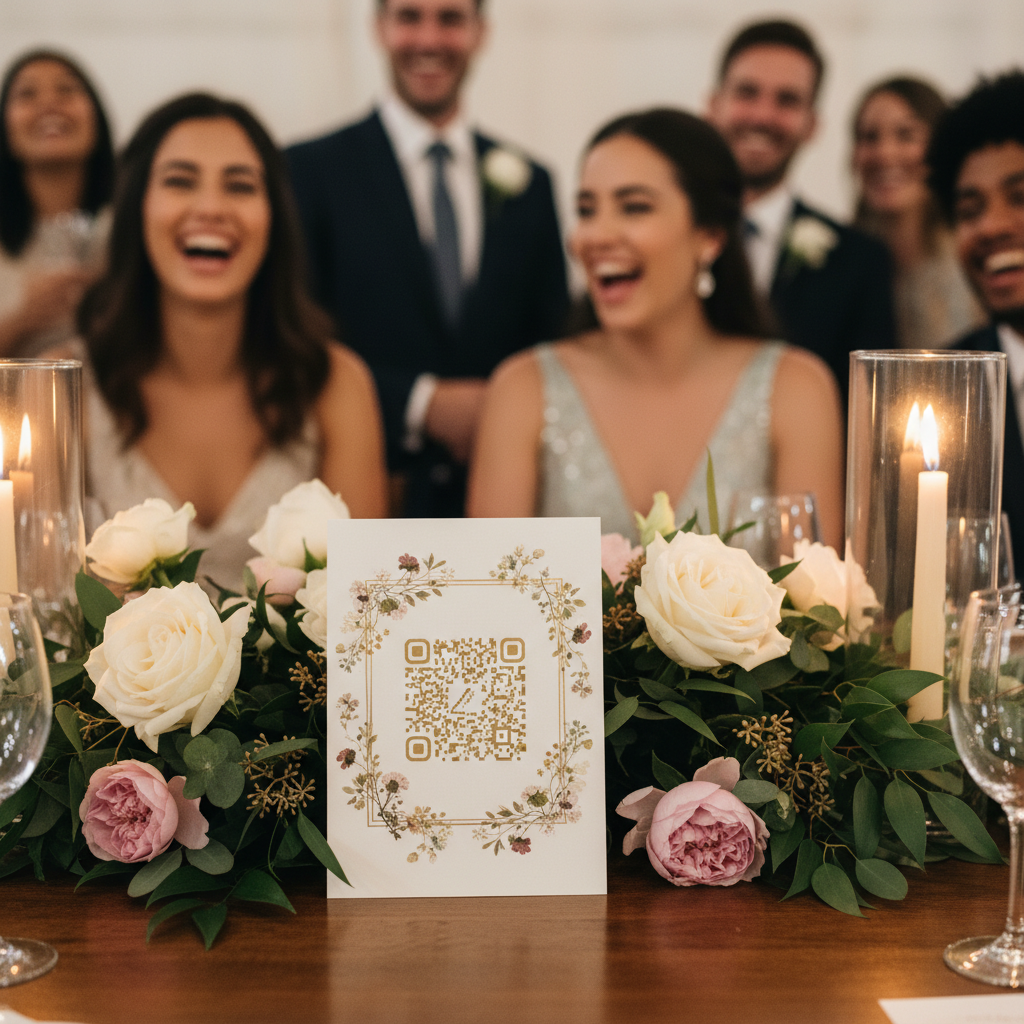
- QR Code Displayed: Your friend prints out this QR code and places it strategically around the party – maybe on table tents, near the cake, or on a welcome sign.
- Guest Scans QR Code: Now it's your turn. You see the QR code and think, "Oh, I've got some great shots!" You simply open your phone's camera app (the same one you use to take pictures). You point your camera at the QR code, just as if you were going to take a photo of it.
- Browser Opens: Your phone's camera automatically recognizes the QR code. A small notification or banner will pop up, usually at the top of your screen, inviting you to open a link. You tap on this notification.
- Simple Upload Interface: Voila! Your phone's web browser (like Safari, Chrome, or Firefox) opens directly to the event's photo upload page. You won't see a complicated app or a login screen. Instead, you'll see a very simple, clear button that says something like "Choose Photo" or "Upload Your Pictures."
- Select & Upload: You tap that button. Your phone then opens your camera roll, allowing you to select the photos (and even videos, with a Premium plan) you want to share. You pick your favorites, tap "Done" or "Upload," and that's it!
- Instant Gallery: Within seconds, your photos appear in the shared online gallery for that event. Everyone else at the party who scans the QR code can see your contributions, and you can see theirs. It's a real-time, collaborative photo album, all without ever downloading an app or creating an account.
It’s truly as easy as pointing, tapping, and selecting. This streamlined process removes all the technical hurdles that often deter non-tech-savvy guests, making photo collection a joyful and inclusive part of any celebration. For more tips on effective photo collection, check out our guide on Wedding Photo Collection: How to Gather Guest Photos Easily.
Setting Up Your Event for Maximum Guest Participation
Even with the simplest photo-sharing tool, a little thoughtful planning on your part can significantly boost guest participation. The goal is to make it impossible for guests to miss the opportunity to share their photos.
First, consider strategic QR code placement. Don't just put one small code at the entrance and call it a day. Think about where guests naturally pause or gather. Table tents at each guest table, prominent signs at the welcome area, near the bar, by the photo booth, or even on printed programs are excellent spots. For a larger event, like a corporate gathering, consider displaying the QR code on presentation screens during breaks. The more places guests see it, the more likely they are to engage.
Next, focus on creating simple visual instructions. Remember, you're catering to non-tech-savvy guests. Instead of paragraphs of text, use clear, concise icons and minimal words. A graphic showing a phone camera pointing at a QR code, followed by an arrow to a phone screen with a "Choose Photo" button, is far more effective than written instructions. You can even create a small, attractive instruction card for each table. For inspiration on capturing unique perspectives, see our Wedding Guest Photo Ideas: Creative Captures & Tips.
Another fantastic strategy is to enlist tech-comfortable guests as 'photo ambassadors.' Identify a few friends, family members, or colleagues who are good with tech and also personable. Brief them on how the QR code system works and ask them to gently encourage others and offer quick assistance if needed. They can demonstrate how easy it is, often alleviating any apprehension from less confident guests. This peer-to-peer support can be incredibly effective.
The biggest barrier to event photo sharing isn't unwillingness—it's friction. Remove the download step, and suddenly everyone becomes a photographer.
Finally, and perhaps most importantly, test your setup with your least tech-savvy relative before the event! This isn't a joke; it's invaluable feedback. If Aunt Carol can do it, anyone can. Observe where they hesitate, what questions they ask, and refine your instructions or placement based on their experience. This pre-event dry run can save you a lot of headaches on the big day and ensure maximum participation. For corporate events, this also applies to testing with colleagues who might not be as digitally native. A successful corporate event photography strategy depends on ease of use for all attendees.

Overcoming Common Guest Concerns and Questions
Even with the simplest system, guests might have underlying concerns or questions, especially those less comfortable with technology. Addressing these proactively can significantly increase participation and put everyone at ease. Your goal is to be a warm, reassuring host.
One primary concern is privacy. Guests might worry about who will see their photos or what personal information they're sharing. Reassure them that they control what they upload. With platforms like Guest Clicks, you can also password-protect your galleries, ensuring that only invited guests can view and upload photos. Emphasize that no personal phone data, contacts, or other private information is accessed – only the photos they specifically choose to share. You can even include this point in any pre-event communication or on your instruction cards. For tips on managing photos at various events, see our guide on Corporate Retreat Photo Management.
Another common question relates to data usage and phone storage. Many guests, particularly older ones, are conscious of their monthly data limits or have older phones with limited storage. Clarify that uploading a few photos uses minimal data, similar to sending them in a text message, and certainly doesn't require downloading an app that would consume significant storage. The process is browser-based, meaning it’s light on resources. You can say something like, "It's just like uploading a picture to Facebook or emailing it – very little data!"
Finally, there's the underlying fear of "breaking something." Less tech-savvy individuals often hesitate to try new digital things because they're afraid they'll mess up their phone or the system. Provide gentle reassurance that they simply can't 'break anything' by trying to upload a photo. The worst that can happen is a photo doesn't upload on the first try, in which case they can simply try again or ask for help. A simple script for hosts to include in a welcome speech could be: "We'd love to see your photos! Just point your camera at the QR code, tap the link that appears, and choose your favorite pictures to share – it's super easy, and you don't need any special apps!" This light, encouraging tone makes a huge difference. For more general photo sharing advice, you might find Photo Sharing Tips from Social Media Examiner helpful.
Real Success Stories: Events That Got Every Guest Photo
It's one thing to talk about simplicity in theory; it's another to see it in action. The power of app-free, QR code-based photo sharing truly shines in real-world event scenarios, demonstrating that collecting every guest photo is not just a dream, but an achievable reality.
Consider a recent 50th-anniversary party. The couple's children wanted to gather photos from all their guests, many of whom were in their 70s and 80s. They set up Guest Clicks with large, clear QR codes on each table and a small instruction card. To their delight, over 90% of guests contributed photos, including several who proudly declared they "never use technology." One grandmother, initially hesitant, was thrilled when she successfully uploaded photos of her grandchildren dancing. This level of participation would have been impossible with an app-based solution.
Then there's the example of a corporate retreat. The HR team needed to collect candid shots for internal communications and future marketing. They used Guest Clicks, placing QR codes on breakroom tables and displaying them on screens during coffee breaks. Despite a diverse age range and varying tech comfort levels among employees, they collected over 500 photos and videos (on a Premium plan) by the end of the two-day event. The key factors were the seamless, no-app process and clear, concise instructions. For more about capturing corporate moments, see our Corporate Event Photography guide.
When guests can share photos as easily as they send a text message, you stop getting excuses and start getting memories.
A multi-generational family reunion highlighted another strength. With relatives ranging from 8 to 88, the host wanted a way for everyone to share their unique perspectives. The QR code system allowed the younger generation to quickly upload their dynamic shots, while the older members, with a little initial encouragement, found it surprisingly easy to share their treasured family moments. The result was a rich, comprehensive gallery capturing the reunion from every angle. For other milestone celebrations, such as a 50th Birthday Photo Ideas, this inclusive approach is invaluable.
These stories underscore a few key factors for success: the inherent simplicity of QR code, browser-based uploading; the power of well-placed, easy-to-understand instructions; and the reassuring presence of a helpful host or 'photo ambassador.' When you eliminate the barriers of downloads, logins, and complex interfaces, you tap into guests' natural desire to share and contribute, ensuring that no memory goes uncaptured. You can explore more options for photo sharing sites at PCMag's Best Photo Sharing Sites to understand the wider landscape, but for pure guest simplicity, a QR code solution is hard to beat.
Frequently Asked Questions
Do guests need to download an app to share event photos?
No, the best solutions for non tech savvy guests work directly in their phone's browser through QR code scanning. Guests simply point their camera at the QR code and upload photos without downloading anything.
Will older guests be able to use QR code photo sharing?
Yes, QR code scanning is built into all modern smartphone cameras and requires just pointing the camera at the code. It's actually simpler than app-based methods because there's no download, no account creation, and no passwords to remember.
What if guests don't have smartphones at my event?
You can provide a tablet or two at strategic locations with the photo upload page already open. Guests can use these devices to upload photos from their digital cameras or simply enjoy viewing photos others have shared.
How do I explain photo sharing to non tech savvy guests?
Keep it simple: 'Point your camera at this code, tap the notification, and choose a photo to share—just like sending a picture to family.' Visual instructions with pictures work better than written explanations.
Is QR code photo sharing secure for private events?
Yes, you can password-protect your event gallery so only invited guests can view and upload photos. The QR code provides convenient access while password protection ensures privacy for family gatherings and private celebrations.