Virtual Baby Shower Photo Sharing: Complete 2026 Guide
Discover the easiest ways to share photos at virtual baby showers in 2026. QR codes, apps, and tips to collect every precious moment—no tech headaches required.
By Guest Clicks Team · · 13 min read

Imagine this: You're eight months pregnant, glowing but exhausted, and you've just hosted the most beautiful virtual baby shower. Your college bestie from Portland joined via Zoom, your mom's book club friends popped in from Florida, and your sister-in-law managed to wrangle her twins long enough to watch you open gifts for an hour. The decorations were adorable, the games were actually fun, and someone even managed to organize a group toast where everyone's glasses clinked through the screen.
It was perfect—until you realize you have photos scattered across seventeen text threads, three Facebook Messenger conversations, two email chains, and that one aunt who keeps trying to fax you things (yes, really). The precious moments of your long-distance best friend tearing up when you opened her handmade blanket? Lost in a WhatsApp group you didn't know existed. Your mom's screenshot of her decorated living room? Buried in your Instagram DMs.
If this scenario makes your shoulders tense up, you're not alone. Virtual baby showers in 2026 have solved the distance problem beautifully, but they've created a new challenge: how do you collect all those scattered memories into one place without losing your mind? The good news is that technology has finally caught up with our need for connection, and collecting every virtual baby shower photo doesn't have to be a part-time job.
Why Virtual Baby Shower Photo Sharing Is Different (And Harder)
Traditional baby showers have a built-in advantage: everyone is in the same room. When Aunt Martha snaps a photo of the cake cutting, she can simply hand you her phone later, or the photos naturally circulate among guests who see each other regularly. But virtual events scatter your guests across time zones, platforms, and varying comfort levels with technology—and that fragmentation creates real friction.
The biggest challenge? Generational tech gaps. Your millennial friends are comfortable with any platform you throw at them, but your grandmother just mastered FaceTime last year and breaks out in hives at the mention of "downloading another app." When you ask guests to "just send me your photos," what you're really asking them to do is navigate file sizes, compression issues, and platform compatibility problems that vary wildly between iPhones, Androids, and desktop computers.
The average virtual baby shower generates 3x more photos when using a centralized QR code system compared to traditional "send me your photos" requests—because friction is the enemy of participation.
Then there's the mental load factor. Parents-to-be in 2026 are already juggling nursery preparation, finalizing maternity leave, and possibly managing the logistics of a hybrid shower where some guests attend in person while others beam in from home. The last thing you need is to become a tech support desk for relatives struggling to AirDrop photos or figure out why their email attachments are "too large to send."
Perhaps most frustrating is the fragmentation itself. You might receive 47 photos via text, 23 in a Facebook group, 15 by email, and lose half of them within a month when your phone automatically archives old messages. The result? A patchwork memory that requires detective work to piece together, often resulting in precious moments getting lost forever in the digital void.
The QR Code Solution: How Modern Parents Are Collecting Virtual Shower Photos
Enter the game-changer that's transforming virtual baby showers in 2026: QR code-based photo sharing. If you're picturing complicated tech setups or requiring your guests to become IT professionals, breathe easy. Modern solutions like Guest Clicks have made this ridiculously simple—so simple, in fact, that your tech-phobic relatives will actually participate.
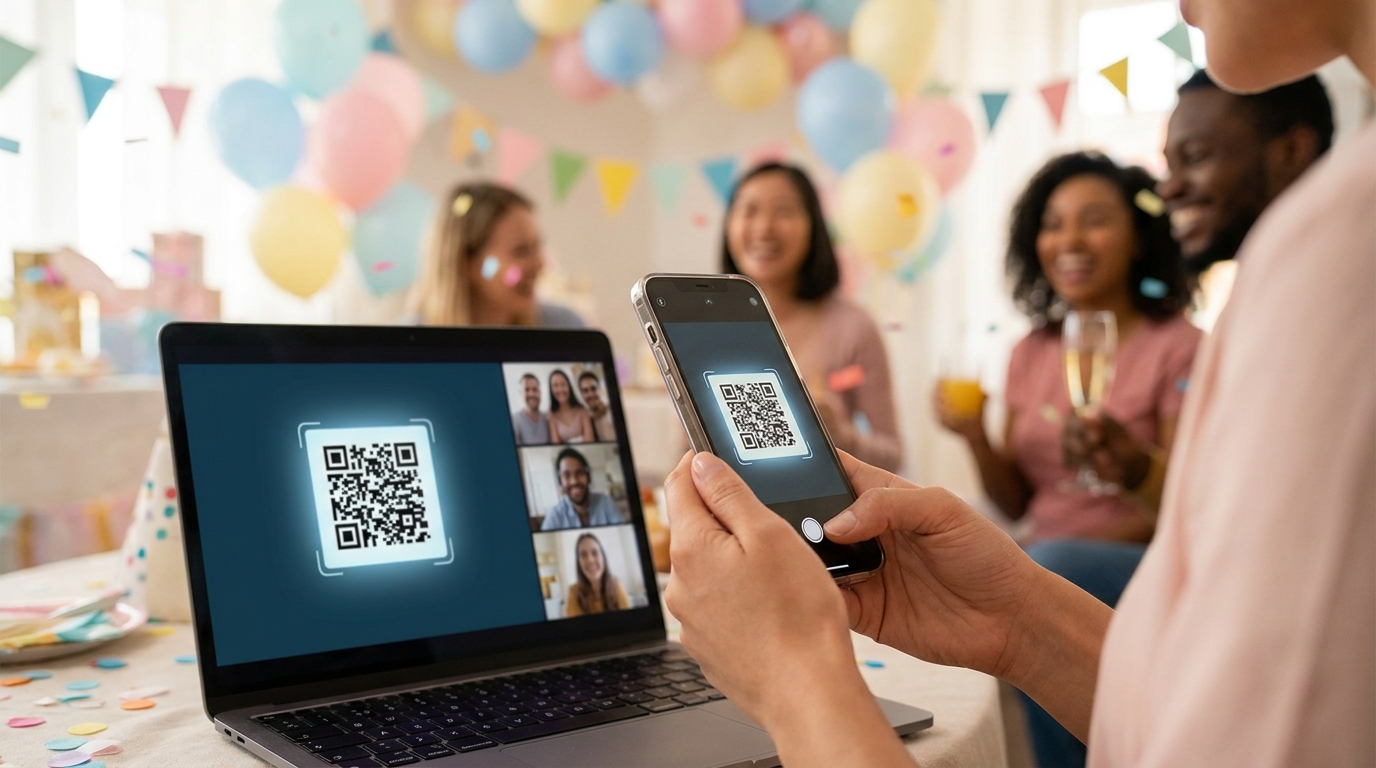
Here's the magic: QR codes work in any smartphone camera app. No downloads. No accounts to create. No passwords to forget. When your guests point their phone camera at a QR code displayed on your screen during the video call (or included in your invitation email), their phone automatically opens a web browser where they can instantly upload photos. It works on iPhones from 2018, Androids from virtually any year, and even that tablet your father-in-law insists on using for "important business."
The beauty of this approach is that it creates a single, centralized gallery instead of hunting through multiple platforms. Whether your best friend from college is celebrating from her Brooklyn apartment while your cousin joins from a hotel room in Austin, all their photos flow into the same organized collection. For hybrid events—where some guests gather in your living room while others attend virtually—this seamless integration means no one feels left out of the memory-keeping.
Parents who collect virtual shower photos report that the candid, unposed moments of guests celebrating from their own homes become some of their most treasured keepsakes from pregnancy.
Consider the cross-country shower scenario: East Coast family celebrates over brunch while West Coast friends join for afternoon tea, all sharing to the same gallery. The photos of your mom's decorated dining table in Boston sit right alongside your sister's mimosa setup in San Diego, creating a beautiful tapestry of how your village showed up for you, regardless of geography.
📱 Share Your Event Photos Instantly
Attending an event using Guest Clicks? Just scan the QR code with your phone camera and upload your best moments. No app needed — it works right in your browser!

Setting Up Photo Sharing Before Your Virtual Baby Shower
Timing is everything when it comes to photo collection. Create your photo collection point 1-2 weeks before the event so early gifts and pre-celebration moments can be captured. This is particularly valuable for virtual showers, where guests might be sending gifts ahead of time and want to share photos of their own celebrations before the big day.
Include the QR code and direct link in your digital invitation, reminder emails, and even the calendar invite for the video call itself. The key is making it visible without making it feel like homework. Try wording like: "Celebrating from home? Scan this code to share your photos with us—we want to see YOU celebrating too!" This framing invites participation rather than demanding it.
Set clear expectations about what guests can share. Let them know they can upload photos of their own celebration setups, gift unboxings (for those sending gifts early), or sweet messages they want to include. This baby shower photo sharing approach encourages guests to think of the gallery as a collaborative memory book rather than just a place to dump screenshots.
Before you send anything to your full guest list, test the system with a close friend or family member who uses a different type of phone than you. Have them scan the code, upload a test photo, and confirm they can see the gallery. This five-minute test run will save you hours of troubleshooting during the actual event, especially if you discover that your great-aunt's older Android needs a different approach.
For less tech-savvy relatives, consider creating a simple one-page guide with screenshots showing exactly how to scan a QR code. You can text this image directly to grandparents or anyone who might need a visual reference they can keep open during the shower.
During the Virtual Shower: Capturing the Moments That Matter
When the big day arrives, display your QR code visibly during key moments: games, gift opening, toasts, and emotional speeches. Pin the QR code in the Zoom chat (or whatever platform you're using) and mention it once after games: "Don't forget to share your photos—we love seeing your setups!" The sweet spot for mentioning photo sharing is 2-3 times during a 2-hour event—you'll get significantly more participation than mentioning it once, without annoying guests by constantly interrupting the flow.
Encourage screenshot sharing from the video call itself. These candid grid views—showing everyone's faces in their little boxes, laughing at the same joke or raising glasses for a toast—become surprisingly treasured memories. They capture a moment in time that professional photography simply can't replicate: the reality of how your community came together across distances to support you.
Designate a "photo reminder" person—someone other than the guest of honor—to periodically mention the gallery in chat without being pushy. This might be your best friend or sister who can casually drop the link again during natural breaks in the conversation. When the pressure is off the pregnant parent to manage logistics, everyone relaxes and participates more freely.
Use breakout rooms or smaller group moments as natural photo-sharing prompts. If you split into groups for a game or discussion, encourage each "room" to take a screenshot of their small group before returning to the main session. These intimate moments often produce the most genuine smiles and laughter.
Don't forget to capture the "parallel celebrations" happening in guest's homes. When guests share photos of their decorated spaces, homemade treats, or even babies and kids who are "attending" the shower, it creates a rich documentation of how your village celebrated with you, even from afar.

After the Shower: Making the Most of Your Virtual Baby Shower Photos
The event might be over, but your photo collection is just getting started. Send a thank-you message within 48 hours that includes the gallery link so guests can relive the celebration and download their favorites. This timing is crucial—memories are fresh, emotions are warm, and guests are still in the celebratory mindset.
The sweet spot for virtual baby shower photo collection is making it visible but optional—mention it 2-3 times during a 2-hour event, and you'll get 5x more participation than mentioning it once or constantly reminding guests.
Use moderation features to organize photos into moments if your platform allows it. Group the photos by activity: games, gifts, toasts, and candid guest submissions. This curation transforms a random collection of images into a narrative story of your day. Digital photo sharing platforms often include tools that make this organization much simpler than trying to sort through camera rolls manually.
Consider creating a simple photo book or digital album from the collection as a keepsake for baby's first year. Many parents find that flipping through a physical book of their virtual shower photos becomes a treasured ritual during late-night feedings, reminding them of the love that surrounded them even before their little one arrived.
Download a backup of all photos within the first month while memories are fresh and files are organized. Even if your platform promises to store them indefinitely, having your own backup ensures you never lose these precious memories to a platform change or technical glitch.
Solving Common Virtual Baby Shower Photo Challenges
Even with the best systems, you'll encounter hiccups. Here's how to handle the most common virtual baby shower photo sharing challenges without stress.
Low participation: If guests aren't uploading photos, it's usually because the barrier feels too high. Make it ridiculously easy by showing the QR code full-screen during moments when guests naturally have their phones out. Remind them at natural transition points—after games, during gift opening—rather than making it feel like an obligation. Remember that no-app photo sharing solutions significantly boost participation because they eliminate the download hesitation that stops many guests.
Quality concerns: Resist the urge to ask for "good photos only." The blurry, candid shots of your mom laughing so hard she's crying, or the poorly lit but emotionally perfect moment your best friend saw the ultrasound photo you shared—these authentic moments trump technical perfection every time. Encourage guests to share what feels genuine rather than staged.
Privacy worries: Use password-protected galleries and give guests control over what they share. Make it clear that the gallery is only for attendees, and consider asking permission before sharing photos publicly on social media. This respect for privacy often increases participation because guests feel safe sharing personal moments.
Tech support for older relatives: Offer to help via a quick phone call or create that simple visual guide mentioned earlier. Sometimes a five-minute walkthrough with a daughter or grandson is all it takes to unlock participation from grandparents who desperately want to contribute but fear breaking something. The investment in this personal touch pays dividends in the photos you'll receive.
For more inspiration on managing event photography across different scenarios, check out these QR photo sharing strategies for celebrations that work across all types of gatherings.
Frequently Asked Questions
How do I collect photos from a virtual baby shower?
The easiest method is using a QR code-based photo sharing platform like Guest Clicks. Share the QR code during your video call and in follow-up emails—guests scan it with their phone camera and upload photos directly to your private gallery without downloading apps or creating accounts.
What's the best way to share baby shower photos with guests?
Create a centralized online gallery with a shareable link that all guests can access. Send the link in your thank-you message so everyone can view, download, and relive the celebration. Password-protect the gallery if you want to keep it private to attendees only.
Do guests need to download an app to share virtual baby shower photos?
No—the best solutions work directly in a phone's web browser without any app downloads. QR code systems let guests scan and upload photos in seconds using just their phone's camera, which dramatically increases participation, especially among less tech-savvy family members.
How long should I keep my virtual baby shower photo gallery active?
Keep your gallery active for at least 48 hours after the event to capture late uploads from guests in different time zones or those who got caught up in the moment. For premium services, keeping it active for a week ensures you don't miss any photos from guests who want to contribute after the fact.
Can I use a virtual baby shower photo gallery for a hybrid event?
Absolutely—QR code photo sharing works perfectly for hybrid events. Display the QR code at your in-person venue and on screen during the virtual portion. All guests, whether attending physically or remotely, upload to the same gallery, creating one complete collection of memories.
Looking for more baby shower planning resources? Check out Baby Shower Ideas from What to Expect for additional inspiration on hosting the perfect celebration.