Family Event Photo Tips for All Ages (2026)
Discover proven multi-generational family event photo tips to capture memories from toddlers to grandparents. Easy strategies for reunions, holidays & gatherings.
By Guest Clicks Team · · 12 min read

There's something magical about watching your toddler chase butterflies in the same frame as your grandmother's laughter lines. Multi-generational family events—whether it's a 50th anniversary celebration, a milestone birthday, or the annual reunion that brings cousins from three states together—create some of the most precious photographic opportunities you'll ever encounter. But here's the challenge: capturing and collecting those moments when your guest list spans four generations, each with different comfort levels with technology, mobility considerations, and ideas about what makes a photo worth sharing.
I've spent years helping families preserve these irreplaceable gatherings, and I've learned that the traditional "everyone email me your photos afterward" approach fails spectacularly when you're coordinating toddlers, teenagers, busy parents, and great-grandparents who may still use flip phones. The good news? With the right strategy, you can collect every perspective—from the teen's candid shot of grandpa napping in the hammock to the grandmother's perfectly composed photo of the fourth-generation baby meeting the family matriarch.

Why Multi-Generational Family Events Need a Different Photo Strategy
When your family spans from Gen Alpha to the Silent Generation, you're essentially managing four different relationships with photography and technology. The teenagers are capturing vertical video for their social feeds, the millennials are taking portraits in portrait mode, Gen X is documenting with digital cameras they bought specifically for this trip, and your older relatives might be using devices that predate the App Store entirely.
This technological Tower of Babel creates a frustrating reality: beautiful moments get trapped on individual devices, never to be shared with the wider family. I've seen too many family reunions where grandparents captured stunning candid shots on digital cameras but had no way to transfer them to the family group chat. Meanwhile, the teens captured hilarious, heartfelt moments that never left Snapchat or Instagram—platforms that many older relatives don't use or can't navigate.
According to family event research, gatherings that include 3+ generations capture 60% fewer total photos when using app-based sharing systems compared to browser-based solutions—simply because older relatives can't or won't download apps.
The pain points go beyond technology. Camera-shy relatives hide from the photographer while the enthusiastic family documentarian (you know the one) fills their phone with 800 shots of the same cake. Mobility concerns mean some family members can't easily move to the designated "photo spot." And perhaps most frustratingly, the "memory gap" means that by the time you track down photos from everyone three months later, the emotional momentum of the event has faded, and half the relatives have forgotten to send anything at all.
Planning for non-tech-savvy guests isn't just considerate—it's essential for comprehensive photo collection. When you design your strategy around the least tech-comfortable attendee, you actually create a system that works better for everyone.
Setting Up a Photo Collection System Everyone Can Use
The foundation of successful multi-generational photo collection is accessibility. If your system requires downloading an app, creating an account, or remembering a password, you've already lost a significant portion of your family photographers before the event even starts. This is where QR code-based systems shine—they bridge the gap between generations beautifully.
Here's the simple truth: almost every generation now understands how to scan a QR code (accelerated significantly by restaurant menus in recent years), and every smartphone manufactured in the last decade can open a mobile browser. When you place a QR code on table tents at the reception or on welcome signs at the reunion entrance, you create an instant upload portal that requires zero technical knowledge beyond "point camera, tap link, select photo."
Physical placement matters enormously. Position QR codes where they're visible during natural downtime—on cocktail tables where grandparents can ask their adult children for help, on bathroom mirrors (surprisingly effective for private consultation), and at the welcome station where you can station a tech-comfortable family member for the first hour. Include simple printed instructions using large, readable fonts: "Point your camera here → Tap the link → Upload your photos."
Consider creating a welcome station with a tablet or laptop where relatives with digital cameras can transfer photos via SD card or USB. This inclusive approach ensures that the uncle who refuses to upgrade from his beloved Nikon point-and-shoot can still contribute his perspective to the family collection.
📸 Collect Every Guest Photo at Your Next Event
Stop chasing guests for photos. With Guest Clicks, you create a QR code, guests scan and upload — it's that simple. No app downloads, no hassle.
Encouraging Photo Participation Across All Generations
Technology is only half the battle. The other half is creating an atmosphere where everyone—from the selfie-loving teenager to the camera-shy great-aunt—feels empowered to capture and share moments. Start with your announcement strategy: don't just mention the photo sharing system in the invitation (where it might get lost), but also make a warm, personal announcement during the event itself.
Frame the request emotionally: "We want to see this day through everyone's eyes—the way the teenagers see the chaos of the kitchen, the way the grandparents see the new baby, the way the cousins see each other after three years apart." This reframes photography from "documentation duty" to "perspective sharing," which resonates across generations.
Photo scavenger hunts work brilliantly for multi-generational events because they gamify participation without requiring technical skill. Create a simple list: "Something that makes you laugh," "A detail only you noticed," "The oldest and youngest family members together." This encourages the teen to look for emotional moments while giving the grandfather permission to photograph his famous barbecue technique.
The most successful multi-generational photo collections include perspectives from at least four different age groups, creating a richer, more complete memory of the event that no single photographer could capture alone.
For camera-shy relatives, employ gentle encouragement techniques. Assign them as the "official photo helpers"—tasking them with making sure the QR codes are visible or helping upload photos from others' phones. This gives them ownership of the process without requiring them to be in front of the lens. Also, consider creating a "memory lane" station where older relatives can photograph and share vintage family photos from their personal collections, digitizing family history while engaging those who might otherwise hang back.
Creative photo prompts can spark inspiration across all age groups, turning passive attendees into active memory-makers.
Timing and Logistics for Multi-Generational Group Photos
The logistics of photographing 15 to 40 people ranging from infants to 90-year-olds requires military-level coordination tempered with family-level flexibility. The golden rule? Schedule around biological realities, not just aesthetic ideals.
That "golden hour" sunset light is beautiful, but if it coincides with toddler nap time or when great-grandfather traditionally rests before dinner, you'll have cranky subjects and closed eyes. Instead, aim for mid-morning or right after lunch when blood sugar is stable, medications have been taken, and energy levels peak across generations.
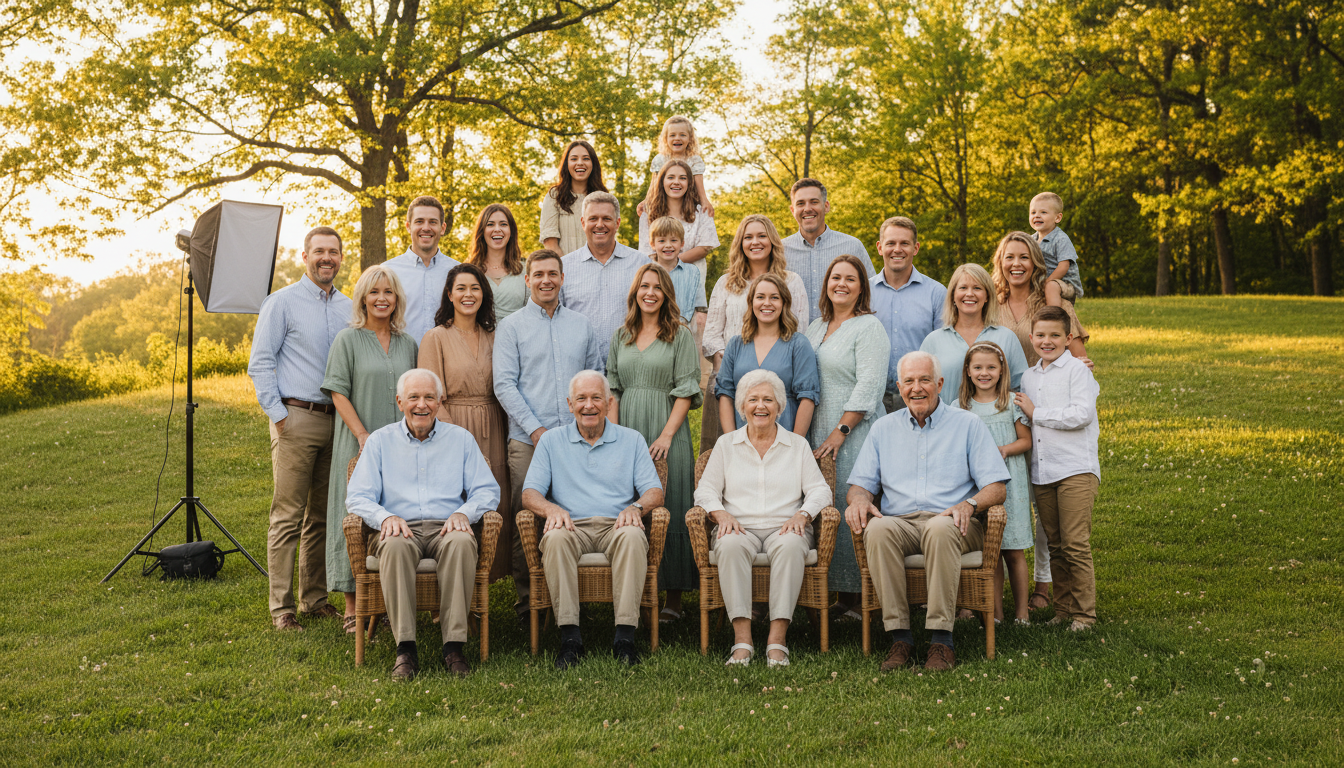
Positioning strategy is crucial for visibility and comfort. Use stadium-style arrangements: seated elderly members in front (bring chairs!), parents and middle generations standing behind them, and teenagers/little ones arranged on the sides or sitting cross-legged in front. This ensures everyone is visible without requiring anyone to stand for extended periods. Avoid the temptation to have everyone stand in rows—it's exhausting for older relatives and hides half the faces behind others' heads.
Employ the two-photographer approach for large groups. Designate two family members (or hire professionals) to shoot simultaneously from different angles—one capturing the formal posed shot, another catching the candid moment when the baby inevitably makes everyone laugh. This redundancy ensures you get the shot even if someone blinks or the toddler melts down.
Large group coordination strategies from reunion planning can adapt beautifully to family gatherings of any size.

Bridging the Digital Divide: Tech Tips for Mixed-Age Groups
Here's a hard truth that tech companies don't want you to know: app-based photo sharing systems exclude people. Every time you ask a relative to "just download this app real quick," you're creating a barrier that filters out a percentage of your family photographers. Browser-based solutions eliminate this friction entirely.
When Grandma opens her camera, scans a QR code, and her phone automatically opens Safari or Chrome with an upload button waiting, you've removed every technical barrier except "select photo." No App Store passwords. No storage space concerns. No "this app needs to update first" delays. This is why modern family reunion planning increasingly favors browser-based solutions over native apps.
For relatives with digital cameras or older smartphones, implement the buddy system. Pair the grandfather with the flip phone with his tech-savvy granddaughter, who can help transfer photos via Bluetooth, email, or a shared family iPad. Create simple three-sentence instructions for first-time smartphone photographers: "Open your camera. Point at the square code. Tap the button that appears."
Studies show that when photo sharing is made accessible to all generations, family events see a 3x increase in candid shots of older relatives—photos that become priceless as time passes.
Set up a "photo help desk" during the first hour of your event—just a table with a charged tablet and a patient family member who can assist with uploads. This concentrated support prevents you from playing tech support all day while ensuring everyone gets included. For relatives who want to contribute photos after the event, consider offering to pick up SD cards or USB drives at the end of the day and uploading them yourself.
After the Event: Organizing and Sharing Multi-Generational Memories
The event ends, but the memory collection is just beginning. Your post-event strategy needs to accommodate different comfort levels with digital permanence and privacy. Start with a password-protected online gallery that requires no account creation to view—just a simple link that can be bookmarked or texted.
Moderation becomes particularly important with multi-generational photos. Review the collection before sharing widely to remove any unflattering shots (the sneeze mid-laugh, the wardrobe malfunction, the political argument caught on camera). Different generations have different privacy expectations—what a 20-year-old considers shareable fun might mortify a 70-year-old. When in doubt, ask.
The hybrid approach works best for lasting satisfaction. While the digital gallery serves the tech-comfortable family members, consider creating a printed photo book from the digital collection to gift to older relatives who prefer physical memories. There's something profound about seeing four generations bound together in a tangible book that sits on a coffee table rather than buried in a phone gallery.
Robust backup strategies ensure these irreplaceable family memories survive technological changes and device failures.
Finally, establish clear sharing permissions. Many families find success with a simple rule: photos stay within the password-protected family gallery unless explicit permission is given for social media sharing. This protects privacy while preserving access. Set a calendar reminder to download the full collection annually, ensuring these photos remain accessible as platforms and technology evolve over the years.
Frequently Asked Questions
How do I get older relatives to share photos at family events?
The key is removing technical barriers. Use QR code-based systems that work in any phone's browser without app downloads. Place QR codes in visible locations with simple instructions, and assign tech-comfortable family members as helpers. Most importantly, explain the "why"—older relatives are often eager to share once they understand how easy it is and how much everyone values their perspective.
What's the best way to collect photos from family members who don't use smartphones?
Create a buddy system where relatives with digital cameras or older phones pair with someone who can help transfer photos. You can also set up a laptop or tablet at the event where people can upload directly from camera SD cards. The most important thing is communicating before the event that you want everyone's photos, regardless of what device they use.
How many photos should I expect from a multi-generational family event?
For a typical family reunion or holiday gathering with 20-40 attendees, expect 100-300 photos if you make sharing easy for all generations. Events using accessible, no-app-required systems see 2-3x more photo contributions than those relying on social media or app-based sharing, because they capture participation from all age groups.
Should I create separate photo albums for different generations?
Generally no—one central collection works best for family cohesion. However, you might create filtered views or highlights for specific purposes (like a "four generations" album or "grandparents' favorites"). The beauty of multi-generational events is seeing the same moments through different eyes, which is lost when you separate the collections.
How do I handle privacy concerns when sharing family event photos across generations?
Use password-protected galleries rather than public social media, and review photos before sharing to remove any unflattering or private moments. Communicate clearly about where photos will be shared and give family members the option to opt out. Many families establish a simple rule: photos stay within the password-protected family gallery unless explicit permission is given for wider sharing.