Event Photo Backup Strategies (2026)
Discover proven event photo backup strategies to preserve every wedding, birthday, and corporate event memory. Learn cloud solutions, QR methods, and fail-safe systems.
By Guest Clicks Team · · 16 min read

Imagine the perfect wedding day, a milestone birthday bash, or a crucial corporate retreat. Every detail is meticulously planned, every moment is cherished, and every smile is captured. But what happens if those precious photos disappear? In our digital age, the ease of capturing countless memories often lulls us into a false sense of security about their preservation. From unexpected tech glitches to simple human error, the risks to your event photos are far greater than you might realize. This guide isn't just about saving your images; it's about proactively safeguarding the irreplaceable stories and emotions woven into every frame of your special occasions. Let's dive into smart, actionable strategies to ensure your event memories are protected for a lifetime.
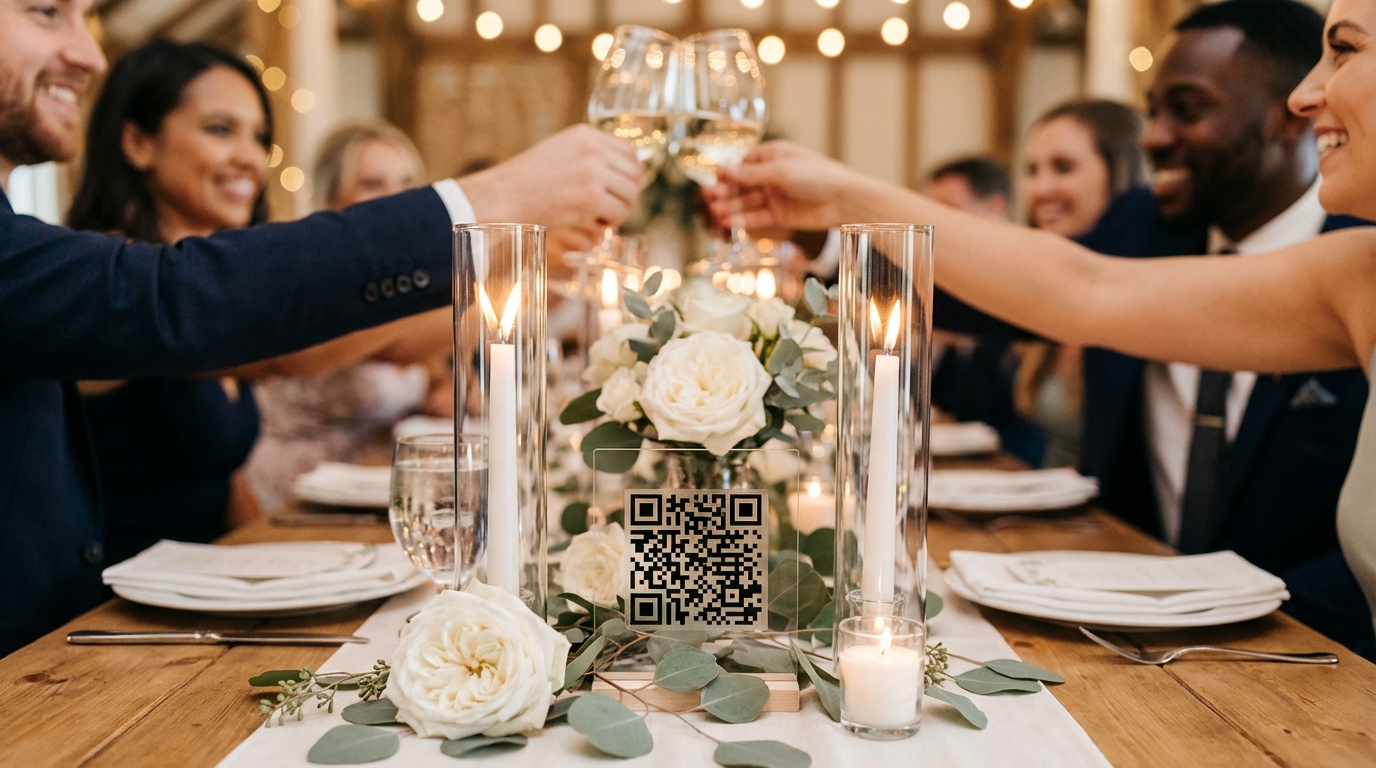
Why Event Photo Backup Matters More Than You Think
We've all heard the horror stories, or perhaps even experienced them ourselves: the phone lost at the reception, the memory card corrupted during a download, or, worst of all, a professional photographer's equipment failure. These aren't just minor inconveniences; they represent the potential loss of truly irreplaceable moments. Think about it: you can always buy another cake, but you can never recreate the exact emotion of a first dance or the candid laughter shared during a team-building exercise. These moments are finite, and once they're gone, they're gone forever.
The emotional impact of losing event photos can be devastating. Take the story of a couple whose wedding photographer's hard drive failed before delivering a single photo. Despite all the promises and efforts, those initial, raw moments from their special day vanished. Similarly, a corporate retreat planned meticulously for team bonding saw its visual record disappear when the designated photographer's phone was stolen, taking with it over 200 crucial team photos that were meant for internal communications and future marketing. These aren't isolated incidents; they highlight a critical vulnerability.
Adding to this complexity is the modern shift in event photography. While professional photographers remain invaluable, a significant portion of our event memories now comes from guests. Everyone has a smartphone, and everyone is a potential photographer, capturing unique angles and spontaneous interactions that even the pros might miss. This democratization of photography is wonderful, but it also creates a distributed and often unorganized pool of content that is highly susceptible to loss if not properly managed. Relying solely on individuals to remember to share their photos after the event is a recipe for disappointment, as valuable snippets of your event's story often get forgotten or buried in personal camera rolls. Effective backup strategies are no longer an afterthought; they are a proactive essential in modern event planning.
The Three-Tier Backup Approach for Bulletproof Photo Security
To truly safeguard your event memories, a single backup method simply isn't enough. Just as you wouldn't rely on a single lock for your most valuable possessions, you shouldn't trust one point of failure for your photos. The most robust approach is a three-tier system that provides redundancy and peace of mind, ensuring that even if one method falters, your precious images are still safe.
Tier 1: Real-time Cloud Backup During the Event. This is your first line of defense. For professional photographers, this means using cameras with dual card slots (writing to two cards simultaneously) and, if possible, linking their devices to an automatic cloud upload service. For designated event photographers (even if they're a friend or family member), enabling automatic uploads from their phone to a cloud service like Google Photos or iCloud is crucial. The goal here is immediate off-device storage as photos are taken, minimizing the window for loss due to equipment damage, theft, or accidental deletion.
Tier 2: Centralized Guest Photo Collection System. This tier addresses the wealth of content captured by your attendees. Traditional methods of asking guests to email photos or upload them to a shared album after the fact are notoriously ineffective. This is where modern solutions like QR code-based platforms shine. By providing a simple, app-free way for guests to upload photos instantly from their phones, you create a real-time, centralized repository of candid moments. Platforms like Guest Clicks allow guests to scan a QR code and upload photos directly from their phone browser, automatically backing them up to a dedicated event gallery. This not only collects more photos but also ensures they are stored securely as they're uploaded, without relying on post-event follow-up. You can learn more about effective collection strategies in our guide on Wedding Photo Collection: How to Gather Guest Photos Easily.
Tier 3: Post-Event Redundancy. Once the event is over and all photos (professional and guest-contributed) have been collected, it's time for the final layer of protection. This involves downloading all photos and videos and creating multiple copies on different storage mediums. This could mean an external hard drive, a second cloud service (separate from the one used for real-time backup), and even a curated selection of printed albums. The idea is to have physically separate backups in different locations. For example, a wedding scenario might involve the professional photographer's dual-card camera, guest uploads via QR codes, and a primary cloud backup during the event. Post-event, all these photos are then downloaded, stored on an external drive, and uploaded to a long-term archival cloud service like Amazon S3 or Google Cloud Storage, plus a physical album for cherished memories. For a big birthday party, you might have a friend taking photos, QR code stations for guests, and automatic Google Photos backup; then, after the party, you consolidate everything onto an external drive and perhaps create a physical photo book. This multi-pronged strategy dramatically reduces the risk of catastrophic photo loss.
?? Collect Every Guest Photo at Your Next Event
Stop chasing guests for photos. With Guest Clicks, you create a QR code, guests scan and upload - it's that simple. No app downloads, no hassle.

QR Code Photo Collection: The Modern Backup Game-Changer
In the quest for robust event photo backup, one of the most significant advancements has been the rise of QR code-based photo collection systems. These innovative tools have transformed how event organizers gather candid moments from their guests, effectively eliminating the common problem of lost or unshared guest photos. By integrating a system like Guest Clicks into your event, you're not just collecting photos; you're creating an instant, real-time backup of every precious guest-captured memory.
The magic lies in its simplicity: guests scan a unique QR code with their smartphone camera, and they're immediately directed to a secure upload page in their phone's web browser. There's no app to download, no account to create, and no confusing instructions. This seamless process dramatically lowers the barrier to participation, leading to a much higher volume of guest contributions. Consider a corporate event where, traditionally, organizers might get 20% of attendees to email photos later. With a QR code system, that number can soar to 85% or even higher, capturing a broader, more authentic perspective of the event. For more insights on corporate event photography, check out our Corporate Event Photography: Boost Team Engagement Guide.
Events that use QR code photo collection systems capture 4-5 times more guest photos than traditional 'send them to me later' approaches, because the barrier to sharing drops to nearly zero.
Beyond increasing participation, these systems offer immediate backup. As guests upload their photos and videos, they are instantly stored in a dedicated, cloud-based gallery. This means that the moment a guest clicks 'upload,' that photo is no longer just on their device; it's securely backed up in the cloud. This real-time collection is a game-changer for backup, safeguarding against lost phones, accidental deletions, or simply guests forgetting to share their photos after the event. Imagine a wedding reception where QR codes are strategically placed on tables; by the end of the night, the couple has received hundreds of guest photos, all safely stored and accessible, providing a rich tapestry of perspectives from their special day.
Furthermore, platforms like Guest Clicks often include moderation tools. This allows event organizers to review and approve photos before they become visible in the live gallery, ensuring that only appropriate and high-quality content is displayed. This feature provides control and peace of mind, especially for formal events or those with a specific brand image to maintain. The combination of ease of use, real-time cloud backup, and moderation makes QR code photo collection an indispensable tool for any event planner serious about preserving every memory.
Cloud Storage Solutions: Choosing the Right Platform for Events
When it comes to safeguarding your event photos, cloud storage is an indispensable component of any robust backup strategy. But with a plethora of options available, selecting the right platform can feel daunting. The key is to evaluate your needs based on the size and type of your event, the volume of content expected, and your budget.
Consider popular general-purpose cloud services like Google Photos, iCloud, and Dropbox. Google Photos offers generous initial storage and excellent organization features, often with automatic backups from smartphones. iCloud is deeply integrated with Apple devices, making it a seamless choice for iPhone users. Dropbox is renowned for its file-sharing capabilities and cross-platform compatibility. While these are great for personal use, they might lack the event-specific features like guest contribution or real-time moderation that specialized platforms offer. For more comprehensive solutions for managing photos from corporate events, consider exploring resources like Corporate Retreat Photo Management: Complete 2025 Guide.
Storage capacity is a critical consideration. High-resolution photos and especially videos can consume significant space very quickly. A 4-hour event with 50-100 guests could easily generate 5-10GB of photos. A wedding or a large corporate event with video uploads might require 20GB, 50GB, or even more. While many platforms offer free tiers, these often come with strict storage limits (e.g., Guest Clicks' free plan offers 100 photos and 200MB). For events where you anticipate a large volume of content, investing in a premium plan is usually a wise decision. For example, a festival organizer collecting photos and videos from hundreds of attendees would benefit immensely from a 10GB+ or even unlimited storage plan to ensure every memory is captured without interruption. You can compare different photo sharing sites to help you decide which one is best for your needs by checking out guides like Best Photo Sharing Sites - PCMag.
Accessibility features are also paramount. Who needs access to the gallery? For how long? Do they need to download photos, or just view them? Password-protected galleries offer an essential layer of privacy. Platforms that allow both individual and bulk ZIP downloads provide flexibility for organizers and guests alike. Finally, conduct a cost-benefit analysis. While free tiers are appealing for smaller gatherings, the peace of mind, advanced features (like moderation and video support), and generous storage limits offered by premium plans (often in the $49/year range for platforms like Guest Clicks) are a worthwhile investment for important, one-of-a-kind events. For example, a small birthday party might get by with a free tier, but a large wedding or a multi-day corporate conference absolutely warrants the unlimited storage and features of a premium plan.

Pre-Event Preparation: Setting Up Your Backup System
The success of any event photo backup strategy hinges on meticulous pre-event preparation. Waiting until the last minute is a recipe for stress and potential disaster. Think of setting up your backup system as an integral part of your event planning checklist, just like booking a venue or sending out invitations. Proactive setup ensures smooth execution and maximum photo capture.
Start your backup system setup well in advance. For major events like weddings or large corporate gatherings, begin at least three weeks out. This gives you ample time to research platforms, set up accounts, and test everything thoroughly. About one week before the event, finalize your QR codes, print signage, and confirm cloud storage capacities. On the day of the event, your focus should be on execution, not troubleshooting.
Testing is non-negotiable. If you're using a QR code photo collection system, scan the QR code with a friend's phone (preferably one that's not your own) to ensure it directs to the correct upload page and that photo uploads work seamlessly. Test with both photos and short videos if your plan supports them. Verify that photos appear in the designated gallery in real-time. If you're relying on automatic cloud backup from a specific device, take a few test photos and confirm they appear in the cloud within minutes. This pre-flight check can prevent embarrassing glitches or missed photo opportunities on the big day.
Communication is equally vital. If you have a professional photographer, discuss your backup expectations with them beforehand. Confirm their own backup procedures (e.g., dual card slots, offsite backup plan). For guest photo collection, clearly communicate how guests can participate. Place prominent signage with QR codes at key locations-welcome tables, bars, photo booths, and even on table tents. A simple message like, "Help us capture every moment! Scan here to share your photos instantly!" encourages participation. Also, consider appointing a trusted friend or family member to be the 'photo backup manager' for the day, responsible for ensuring QR codes are visible and perhaps even doing a quick check-in on the professional photographer's backup status. This checklist approach, from initial setup to day-of deployment, ensures every angle is covered, making your event's photo collection as robust as possible. For specific birthday photo ideas and collection tips, you might find our article Birthday Party Photo Collection: Modern Solutions for Busy Parents helpful.
Post-Event Photo Management and Long-Term Preservation
The event is over, the memories are fresh, and thanks to your diligent backup strategies, you have a treasure trove of photos and videos. But the work isn't quite done. Post-event photo management is crucial for consolidating, organizing, and ensuring the long-term preservation of these invaluable assets. This final stage transforms a collection of digital files into a curated, accessible archive.
Your first task is consolidation. You'll likely have photos from multiple sources: your professional photographer's deliverables, your Guest Clicks gallery (or similar QR code system), perhaps some personal photos from your own phone, and even a few social media gems. Gather all these into a single, master folder on your computer. This might involve downloading bulk ZIP files from your cloud services and copying files from external drives. Once everything is in one place, the real sorting begins. Create a logical folder structure (e.g., 'Wedding Day - Ceremony,' 'Wedding Day - Reception,' 'Wedding Day - Guest Candids') to keep things organized.
Next comes organization and curation. This is where you become the editor of your own event story. Go through every photo, removing duplicates, blurry shots, and any truly unflattering images (thank goodness for moderation tools!). Select the highlights that truly capture the essence and emotion of the day. Consider using photo editing software for minor adjustments like cropping, color correction, or exposure fixes, but remember to keep a copy of the original raw files if possible. For larger events, an efficient workflow is key. You can find more tips on managing large photo collections from sources like Photo Sharing Tips - Social Media Examiner.
The most common photo loss scenario isn't equipment failure-it's guests who genuinely intend to share photos but forget within 48 hours, meaning those candid moments vanish forever. Cloud-based backup systems with real-time upload capabilities have a 99.9% success rate compared to 60-70% for post-event photo collection methods that rely on guest follow-through.
Finally, focus on creating permanent archives for long-term preservation. This means creating multiple copies on different storage types and locations. For example, upload your curated collection to a long-term cloud archival service (like Google Drive, Amazon Photos, or a dedicated archival service). Simultaneously, back up the entire collection to at least one (preferably two) external hard drives. Store these drives in separate physical locations to protect against fire, theft, or flood. Don't forget the power of physical prints and albums! A beautifully printed wedding album or a photo book of a milestone birthday celebration provides a tangible, technology-independent backup that can be enjoyed for generations. Remember the couple who discovered their wedding photos were gone five years later because a cloud service they used had shut down? Diversifying your archival strategy is crucial.
Make it a habit to set calendar reminders for annual check-ins. Verify that your cloud backups are still accessible and that your external drives are still readable. Technology evolves, and storage formats can become obsolete. Proactive verification ensures your cherished memories remain safe and accessible, allowing you to relive those special moments for years and decades to come.
Frequently Asked Questions
What is the best way to backup photos during an event?
The most reliable approach combines real-time cloud backup with a QR code guest photo collection system. This dual strategy ensures both professional photos and candid guest moments are automatically preserved as they're captured, eliminating the risk of post-event loss or forgotten sharing.
How much cloud storage do I need for event photos?
For a typical 4-hour event with 50-100 guests, plan for at least 5-10GB of storage. Weddings and larger events with video uploads can require 20GB or more. Premium plans offering 10GB+ unlimited photos provide peace of mind without worrying about hitting storage limits mid-event.
Can guests upload photos without downloading an app?
Yes, QR code-based systems allow guests to scan a code and upload photos directly through their phone's browser with zero app downloads. This dramatically increases participation since guests avoid the friction of finding, downloading, and creating accounts in yet another app.
How do I collect photos from wedding guests after the event?
The most effective method is setting up a QR code system before the wedding that guests use during the reception, capturing photos in real-time. Post-event collection relies on guest follow-through and typically recovers only 20-30% of photos, while real-time systems capture 80-90%.
Should I use free or paid cloud storage for event photos?
Free tiers work for small gatherings under 100 photos, but events with multiple contributors, videos, or high-resolution images quickly exceed free limits. Paid plans ($49/year range) offer unlimited uploads, larger storage, and advanced features like moderation tools that justify the investment for important events.