Guest Clicks vs GuestCam for Multi Day Events (2026)
Comparing Guest Clicks vs GuestCam for multi-day events? Discover which QR code photo sharing platform handles weddings, festivals & conferences better in 2026.
By Guest Clicks Team · · 13 min read
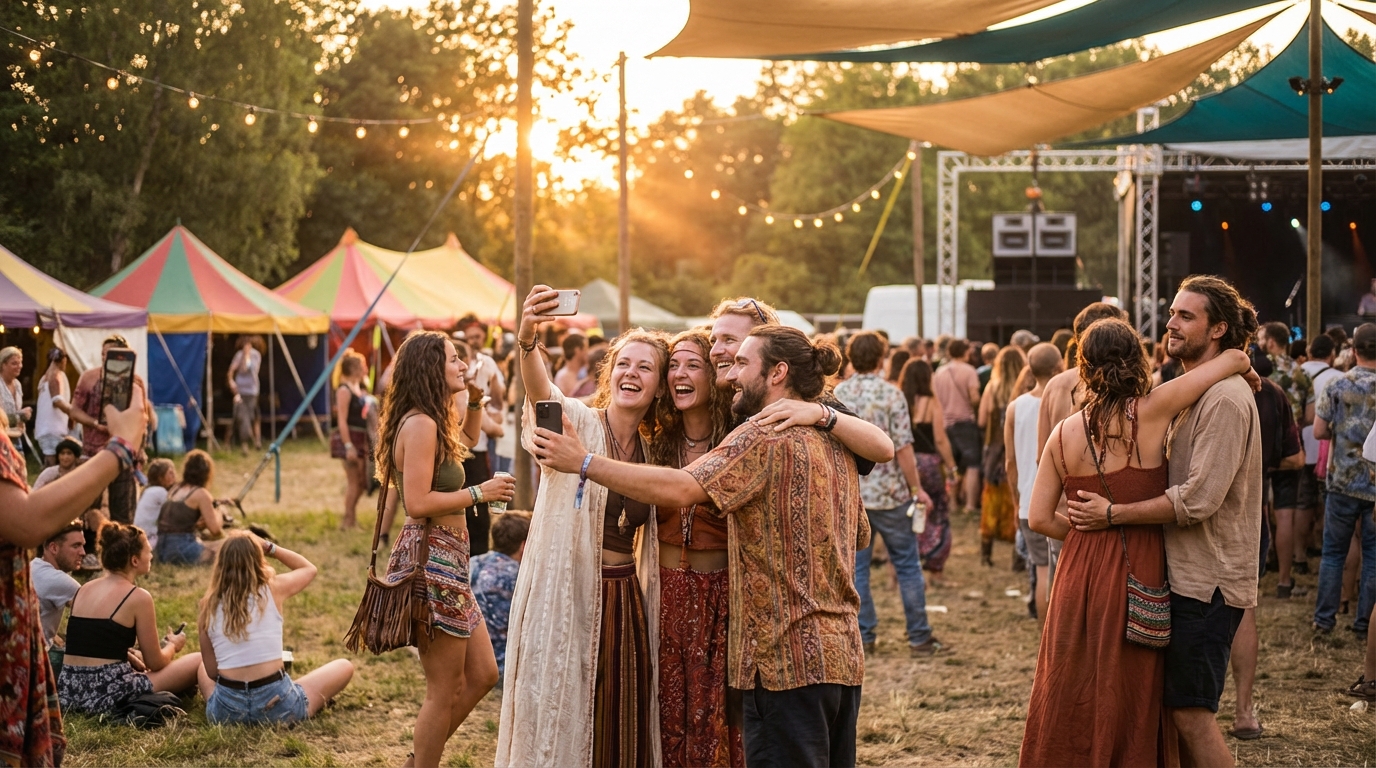
Planning a multi-day event in 2026? Whether you're organizing a destination wedding that spans a long weekend, a three-day music festival, or a corporate retreat with multiple activities, you've probably realized that collecting photos from guests becomes exponentially more complicated as the hours turn into days. What works perfectly for a four-hour reception often falls apart when stretched across seventy-two hours of celebrations, ceremonies, and casual moments. The photo sharing platform you choose can make the difference between capturing every magical moment and watching your gallery trickle to a halt by day two.

Why Multi-Day Events Need Different Photo Sharing Solutions
Here's something that catches many event planners off guard: multi-day events don't just generate slightly more photos than single-day gatherings—they create a tsunami of visual memories that can overwhelm standard photo sharing solutions. We're talking about 300-500% more photos, easily. When you extend an event from six hours to three days, you're not just adding time; you're adding outfit changes, venue shifts, activities, meals, and countless candid moments that happen when people relax into a longer celebration.
Take a typical destination wedding as an example. Thursday evening brings the welcome dinner, Friday features the rehearsal and ceremony, Saturday hosts the main reception, and Sunday wraps with a farewell brunch. By the time the weekend ends, your 150 guests have captured everything from sunset beach photos to late-night dance floor moments to quiet morning coffee gatherings. That's potentially 1,200-2,000 photos requiring 3-5GB of storage—well beyond what most basic plans accommodate.
Multi-day events generate 300-500% more photos than single-day gatherings, making unlimited storage and easy upload access non-negotiable features for serious event planners.
But storage isn't the only challenge. Guest participation follows a predictable decline curve across multiple days. On day one, everyone's energized and eager to share. By day two, enthusiasm wanes. Come day three, if your photo sharing process requires any friction—like downloading an app or navigating complex upload procedures—you'll see participation drop off a cliff. This is especially true for multi-generational family events where tech comfort levels vary widely.
Then there's the organization nightmare. When you collect 800 photos from a four-day festival, you need ways to sort by day, location, or activity without spending hours manually tagging images. The platform must handle real-time moderation across multiple days and provide bulk download options that don't force you to save images one by one.
Guest Clicks vs GuestCam: Platform Overview and Key Differences
When comparing QR code photo sharing platforms for extended events, Guest Clicks and GuestCam represent two different philosophies about how guests should interact with technology during celebrations.
Guest Clicks operates on a browser-first principle. The platform generates a unique QR code for your event that guests scan with their phone cameras. Immediately, their mobile browser opens the upload interface—no App Store visits, no storage space concerns, no waiting for downloads. The free plan accommodates 100 photos (200MB), perfect for intimate gatherings, while the Premium tier at $49/year unlocks unlimited photo and video uploads with 10GB of storage.
GuestCam offers both app-based and web-based options, giving guests flexibility in how they connect. However, this dual approach often means guests encounter the app download prompt first, which can create friction during multi-day events. GuestCam's pricing structure varies based on guest count and storage tiers, potentially requiring mid-event upgrades if your photo volume exceeds initial estimates.
The fundamental difference lies in the default experience. Guest Clicks assumes guests want immediate access without barriers, while GuestCam assumes some guests will prefer the enhanced features of a dedicated app. For single-day events, this distinction matters less. But when you're asking guests to engage with photo sharing across three or four days, that initial friction point becomes a significant barrier to participation.
📸 Collect Every Guest Photo at Your Next Event
Stop chasing guests for photos. With Guest Clicks, you create a QR code, guests scan and upload — it's that simple. No app downloads, no hassle.

Storage Capacity and Upload Limits: What Happens When Your Event Runs Long
Let's talk numbers, because this is where multi-day events separate the robust platforms from the lightweights. A conservative estimate suggests that over three days, 150 guests will upload between 750 and 1,500 photos, consuming 2-4GB of storage space. If your event includes video uploads—which increasingly guests expect to share—that number climbs significantly.
Guest Clicks Premium handles this volume effortlessly with unlimited photo uploads and 10GB of storage. This means you can host a four-day music festival or a week-long corporate conference without watching storage meters or counting uploads. The platform accommodates high-resolution images and short video clips without compressing quality or cutting off contributions.
GuestCam's tiered storage model works differently. While it offers various plans, multi-day events often find themselves bumping against limits precisely when momentum is highest. Imagine hitting your storage cap during the final day of a destination wedding—the farewell brunch where emotional goodbyes and group photos happen. Suddenly you're scrambling to upgrade or, worse, creating a secondary event that splits your gallery and confuses guests.
The math becomes critical when you consider video content. A 30-second clip from a smartphone can easily consume 50-100MB. Ten guests sharing videos from Saturday night's dance party alone could eat through a basic storage plan. According to PCMag's analysis of photo sharing platforms, storage flexibility remains one of the top concerns for event organizers managing large galleries.
Free plans on any platform—including Guest Clicks' 100-photo, 200MB offering—simply don't scale for multi-day events. They're designed for birthday dinners or single-evening celebrations, not for the sustained photo generation of extended gatherings.
The App Download Barrier: Why It Matters More on Day Two
Here's a scenario that plays out at virtually every multi-day event requiring app downloads: Day one sees enthusiastic participation as tech-comfortable guests download the app and start sharing. By day two, participation drops noticeably. Come day three, you're hearing "I meant to download that but my phone was full" or "The WiFi was too slow to download it at the venue."
Guest participation in photo sharing drops by 40-60% after day one if the platform requires app downloads, making browser-based solutions like Guest Clicks significantly more effective for extended events.
This isn't speculation—it's the reality of app fatigue combined with practical constraints. Multi-day events often occur in locations with spotty connectivity (destination weddings in remote venues, festivals in fields, retreats in mountain lodges). Guests arrive with phones already loaded with travel apps, airline apps, hotel apps, and social media. Asking them to add another app on day two or three feels like an imposition rather than an invitation.
Guest Clicks eliminates this barrier entirely by operating through mobile browsers. Guests scan the QR code and upload immediately, regardless of whether it's Thursday's welcome dinner or Sunday's farewell brunch. This consistency matters tremendously for gathering wedding photos across a long weekend or capturing corporate retreat moments that span multiple locations.
Phone storage becomes another critical factor as events extend. By day three of a festival, guests' phones are packed with photos they've taken, videos they've captured, and apps they've opened. The last thing they want is a "Storage Full" notification when trying to download a photo sharing app. Browser-based platforms bypass this issue entirely, working within the phone's existing capabilities.
Social Media Examiner notes that reducing friction in the sharing process directly correlates with higher participation rates—a principle that becomes magnified over multiple days.

Photo Organization and Moderation Across Multiple Days
Collecting 1,000+ photos is only half the battle—organizing them into a coherent narrative becomes the real challenge of multi-day events. When you're dealing with images spanning Thursday through Sunday, you need tools that help you make sense of the timeline without manually sorting through every single upload.
Guest Clicks provides real-time moderation that becomes essential for extended events. As photos flow in across multiple days, you can review and approve them immediately, ensuring that inappropriate content doesn't sit in your gallery and that the quality remains high. This is particularly valuable for corporate events where brand reputation matters, or family reunions where you want to ensure privacy standards.
Both platforms offer timestamping, which helps organize photos chronologically. However, the ability to download photos in bulk as ZIP files becomes crucial when you're managing a multi-day archive. Rather than saving images individually—a task that could take hours with a large gallery—you can download entire days or the complete event at once.
For event planners creating digital guest book alternatives, this organization capability proves invaluable. You can separate rehearsal dinner photos from ceremony shots, or distinguish between conference Day 1 networking and Day 3 workshop sessions. This granular control helps create meaningful albums rather than chaotic dumps of images.
The moderation tools also help manage the social dynamics of multi-day events. When guests upload photos at 2 AM from the after-party, having review controls ensures that only appropriate content enters the shared gallery—protecting both the event's reputation and individual guests' privacy.
Pricing Comparison: What Multi-Day Events Actually Cost
When budgeting for photo sharing at extended events, the sticker price rarely tells the complete story. You need to consider not just the upfront cost, but the value of unlimited uploads, the time saved on organization, and the hidden costs of hitting storage limits mid-event.
Guest Clicks structures its pricing simply: free for small events (100 photos, 200MB, single event), or $49/year for Premium with unlimited photos and videos, 10GB storage, and advanced moderation tools. For multi-day events, Premium isn't just recommended—it's practically essential. The unlimited uploads mean you never worry about guests hitting caps during the final day of your festival, and the 10GB storage accommodates even video-heavy celebrations.
GuestCam's pricing varies based on guest count and storage needs, which can create uncertainty when planning multi-day events where photo volume is harder to predict. While they offer various tiers, organizers often find themselves needing to upgrade during the event or purchasing higher tiers "just in case," driving up the actual cost.
Consider the hidden cost of time. If you choose a platform with strict limits and hit your storage cap on day two of a three-day wedding, you're suddenly managing multiple event galleries, sending new QR codes to confused guests, and manually stitching together albums later. That administrative time—often 5-10 hours for large events—represents real money whether you're a professional planner or a DIY bride.
For annual recurring events like corporate retreats or family reunions, Guest Clicks' annual pricing model provides exceptional value. One $49 payment covers your entire year of events, whereas per-event pricing models multiply costs quickly.
Which Platform Wins for Your Multi-Day Event?
After evaluating both platforms through the specific lens of multi-day event challenges, Guest Clicks emerges as the stronger choice for most extended gatherings—but let's be specific about when each platform makes sense.
Choose Guest Clicks when you prioritize maximum participation across all days, when your guest list includes people of varying tech comfort levels, when you expect high photo volumes (500+ images), or when you simply don't want to troubleshoot app downloads during your event. It's the ideal solution for destination weddings, family reunions spanning multiple generations, corporate retreats with BYOD policies, and music festivals where phone storage and connectivity are already strained.
GuestCam might suit specific scenarios where your guest demographic is uniformly tech-savvy and prefers app-based features, or when you need particular integrations that only their app provides. However, for the broad, diverse crowds typical of multi-day celebrations, the app requirement creates unnecessary friction.
The decision ultimately comes down to accessibility versus features. Guest Clicks prioritizes getting every guest to participate easily, which matters more over three days than having advanced editing features that only 20% of guests use. When you're trying to capture creative guest photos across a long weekend, simplicity wins.
For 2026 event planners, the browser-based approach isn't just a nice-to-have—it's becoming the standard expectation. Guests want to scan, upload, and return to celebrating without digital detours. Guest Clicks delivers that experience consistently from day one through day four, ensuring that the memories you collect are as complete as the event itself.
Frequently Asked Questions
Can Guest Clicks handle photos from a 4-day destination wedding?
Yes, Guest Clicks Premium offers unlimited photo uploads and 10GB of storage, which easily accommodates even the longest multi-day events. The free plan (100 photos, 200MB) works for smaller gatherings, but Premium is recommended for destination weddings where guests will upload hundreds of photos across multiple days.
Do guests need to download an app to use Guest Clicks at multi-day events?
No, Guest Clicks works entirely in mobile browsers without any app download. Guests simply scan the QR code and upload photos directly from their phone's browser. This is especially valuable for multi-day events where guests may resist downloading apps on day 2 or 3.
How do I organize photos from different days of my event in Guest Clicks?
Guest Clicks displays all photos in a single gallery with timestamps, allowing you to see when each photo was uploaded. You can download all photos as a ZIP file and organize them by date on your computer, or use the real-time moderation feature to review and approve photos as they come in throughout your multi-day event.
What happens if I run out of storage during a multi-day event?
With Guest Clicks Premium ($49/year), you get 10GB of storage and unlimited photo uploads, which is sufficient for virtually all multi-day events. The free plan has a 200MB limit (about 100 photos), so if you're planning a multi-day event, Premium is recommended to avoid hitting storage limits mid-event.
Is GuestCam or Guest Clicks better for music festivals?
Guest Clicks typically works better for festivals because it requires no app download—attendees can upload photos from any day without installing software. The Premium plan's unlimited uploads handle high photo volumes from multi-day festivals, and the browser-based approach works even when attendees have limited phone storage.