Conference Photo Sharing Without an App: 2026 Guide
Discover hassle-free conference photo sharing without apps. Learn QR code methods, instant upload solutions, and how to collect attendee photos effortlessly in 2026.
By Guest Clicks Team · · 13 min read

You've spent months planning the perfect conference— securing keynote speakers, coordinating breakout sessions, and arranging networking receptions. The event goes off without a hitch, attendees are engaged, and phones are out capturing every moment. But when you check your branded event app three days later, only a handful of photos have been uploaded. What happened?
The reality is that requiring app downloads for photo sharing creates a massive barrier that most conference attendees simply won't cross. In 2026, event organizers are discovering that the key to capturing authentic moments lies in removing friction entirely. Whether you're planning a 50-person team retreat or a 5,000-person industry summit, the method you choose for photo collection can make the difference between a vibrant visual record and a handful of blurry screenshots.
Why Conference Attendees Won't Download Your Photo-Sharing App
Let's be honest about the modern smartphone experience. The average professional's device is already bursting with 40+ apps, many of which they barely use but can't delete due to work requirements or occasional necessity. When you ask someone to download yet another application— even for a conference they're excited about— you're asking them to make a decision about storage space, privacy permissions, and cognitive load.
Conference attendees face unique constraints that make app downloads particularly unappealing. Business travelers need storage space for presentation files, travel apps, and essential work tools. International attendees may be conserving data or avoiding downloads on roaming connections. Perhaps most importantly, privacy-conscious professionals are increasingly wary of granting camera, location, and contact permissions to unfamiliar applications.
Studies show that requiring an app download reduces photo-sharing participation by 70-80% at corporate events, while QR code solutions maintain 85%+ engagement rates.
I've heard this story countless times from frustrated organizers. At a recent 500-person tech conference in Austin, the planning team invested heavily in a custom-branded event app with photo-sharing capabilities. Despite push notifications and on-site reminders, only 35 photos were uploaded throughout the three-day event. Attendees later admitted they saw the prompts but didn't want to use cellular data for a download they'd delete immediately after the conference.
Similarly, an HR manager I spoke with tried implementing an app-based photo solution for a two-hour corporate celebration. "It was like pulling teeth," she told me. "These were employees who work together daily, but asking them to download something for a short event felt like an imposition. We got maybe 10% participation."
The psychology is straightforward: every additional step between the impulse to share and the action of sharing kills momentum. When someone captures a great moment during your keynote or networking session, that sharing impulse lasts approximately 30 seconds. If downloading an app takes longer than that, the moment is lost— and so is your visual content.
How QR Code Photo Sharing Works for Conferences
QR code photo sharing represents a fundamental shift in how we approach event photography. Instead of fighting against attendee behavior, it works with the natural flow of smartphone use. Here's what actually happens when you implement a browser-based photo sharing solution at your conference.
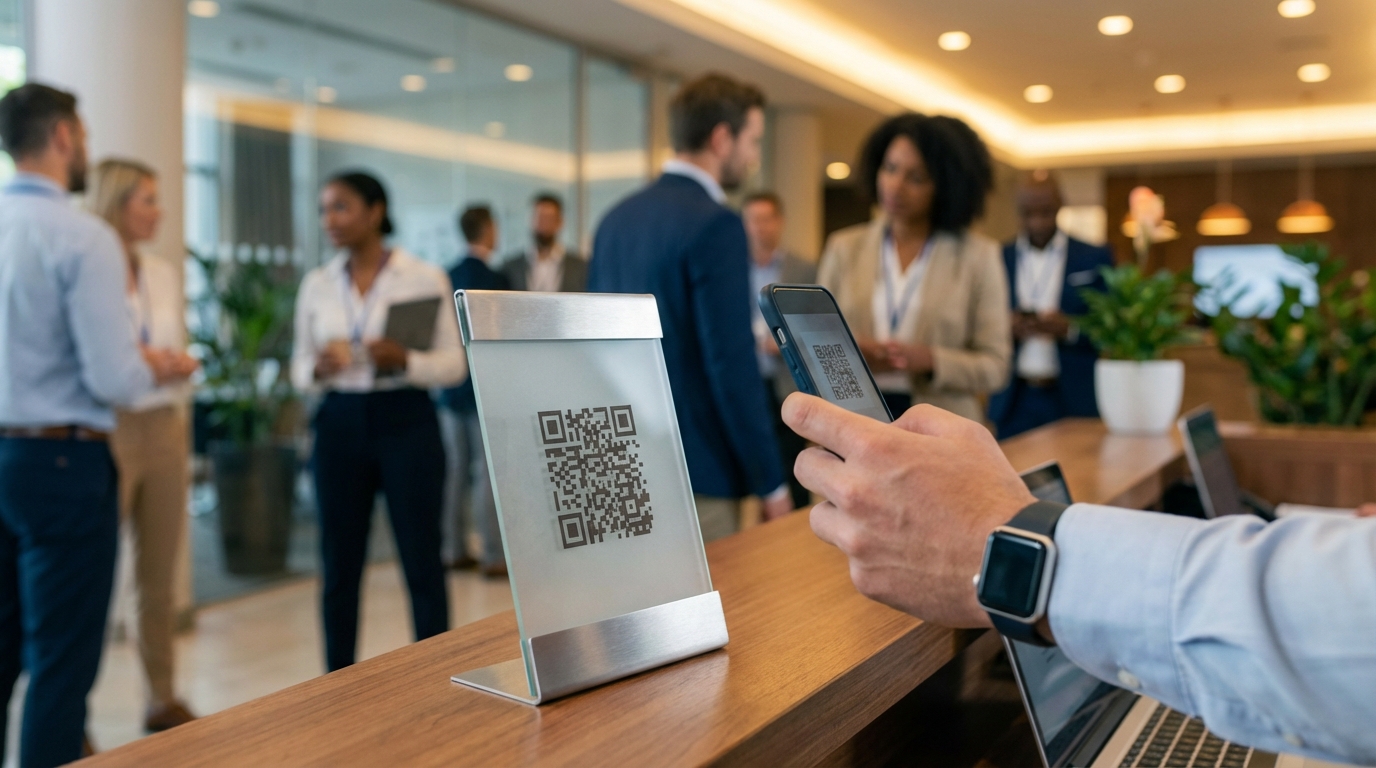
The process is remarkably simple: attendees point their phone's native camera at a QR code displayed on signage, table tents, or presentation screens. Their camera app recognizes the code and prompts them to open a link. One tap takes them to a mobile-optimized web gallery— no App Store, no Google Play, no 50MB downloads over hotel WiFi. From there, they select photos from their camera roll and upload them instantly.
The entire interaction takes roughly 15 seconds from scan to upload. Because it operates through the browser, it works identically on iPhones, Android devices, and even tablets. The photos appear in a centralized, real-time gallery that all attendees can view, creating a collaborative visual narrative of your event as it unfolds.
Conference attendees are 5x more likely to share photos when the process takes under 30 seconds— browser-based QR scanning meets this threshold, app downloads don't.
At a recent annual sales conference I consulted on, the organizers placed QR codes at the entrance to each session room. By the end of the second day, they had collected over 800 photos from 400 attendees— a stark contrast to the previous year's app-based approach that yielded fewer than 100 images. The difference wasn't the attendees' enthusiasm; it was the removal of friction.
Platforms like Guest Clicks take this simplicity further by providing moderation tools that give organizers control without complicating the guest experience. You can review uploads before they go live, password-protect galleries for internal events, and offer bulk download options for your marketing team— all while guests enjoy that seamless scan-and-upload experience.
📸 Collect Every Guest Photo at Your Next Event
Stop chasing guests for photos. With Guest Clicks, you create a QR code, guests scan and upload — it's that simple. No app downloads, no hassle.

Strategic QR Code Placement for Maximum Conference Photo Collection
Having the right technology is only half the battle; strategic placement determines whether attendees actually use it. Think of your QR codes as gentle reminders that need to appear exactly when the photo-taking impulse strikes.
Registration and Check-In Areas: This is your highest-engagement moment. Attendees are fresh, excited, and haven't yet hit information overload. A prominent QR code at the registration desk, paired with a simple "Share Your Experience" sign, sets the expectation immediately. Consider including it on the back of badge holders or lanyard inserts— attendees will see it every time they reach for their phones.
Session Rooms and Theaters: Place QR codes on podium displays or bottom corners of presentation screens. When an attendee wants to capture a slide or speaker moment, the sharing solution is literally in the frame. For multi-track conferences, consider unique QR codes for different rooms or session types, allowing you to organize photos by topic automatically.
Networking Spaces: The candid moments that happen over coffee or cocktails often become the most cherished memories. Table tents at networking receptions, QR codes on bar menus, or signage near photo-worthy installations (step-and-repeats, branded backdrops) capture these organic interactions.
Digital Touchpoints: Don't limit yourself to physical signage. Include the QR code in email signatures from conference staff, on digital agendas displayed on screens throughout the venue, and in post-session follow-up emails. One corporate retreat I organized placed QR codes on every table tent at meal functions, resulting in hundreds of candid dining and conversation shots we would have otherwise missed.
For multi-day events, consider rotating your QR code placement strategy. Day one might focus on registration and keynote capture, while day two emphasizes breakout sessions and evening networking. This keeps the photo collection fresh and contextually relevant.
Solving Common Conference Photo Sharing Challenges Without Apps
Corporate event planners face unique technical and logistical hurdles that consumer party hosts don't encounter. App-free QR solutions address these pain points elegantly.
Mixed Device Ecosystems: Enterprise environments often feature a split between company-issued Android devices and personal iPhones, plus the occasional tablet for note-taking. Unlike platform-specific apps that may perform differently across operating systems (or not be available on corporate-locked devices), browser-based solutions work universally. Whether your attendee has a three-year-old Samsung or the latest iPhone, the experience remains identical.
IT Department Constraints: Many corporations require security reviews and approval processes for any software installed on employee devices. This process can take weeks or months— time you don't have when planning a conference. Because QR code platforms require no installation, they bypass IT vetting entirely. As one compliance officer told me after switching to a browser-based solution, "It was such a relief not to submit another security questionnaire for a photo app."
International Connectivity: Global conferences bring attendees from dozens of countries, many with limited data plans or expensive roaming charges. Asking someone to download a 100MB app over international roaming is a non-starter. Browser-based uploads use minimal data and work perfectly on conference WiFi without the bandwidth-heavy initial download.
The average conference attendee takes 12-15 photos during an event, but only 2-3 get shared when apps are required; app-free solutions capture 80% of those photos.
Real-Time Engagement: Perhaps most importantly, browser-based galleries are accessible during the event, not just after. Attendees can see their colleagues' photos between sessions, creating a sense of community and FOMO that drives further participation. This real-time aspect transforms photo sharing from a post-event afterthought into an integral part of the conference experience.

Maximizing Post-Conference Value from Shared Photos
Collecting photos isn't just about creating a warm fuzzy feeling for attendees— though that's certainly valuable. When you capture 80% of attendee photos instead of 20%, you create a content goldmine that extends your event's impact for months.
Marketing Content Library: That gallery of 800 candid shots becomes your marketing team's best friend. Instead of relying on the same three staged photos for next year's promotional materials, you have authentic moments showing genuine engagement. One marketing director I worked with generated three months of social media content from a single conference gallery, using attendee photos to showcase community, learning, and networking in action.
Sponsor Visibility: When attendees share photos of keynote stages, branded backdrops, or even cocktail napkins featuring sponsor logos, those sponsors get organic visibility they can't buy through traditional advertising. You can provide sponsors with engagement metrics— "Your branded photo wall generated 247 attendee photos"— demonstrating ROI that justifies their investment in future events.
Stakeholder Reporting: For internal corporate events, photo galleries provide visual proof of engagement for leadership. When the CEO asks, "How did the retreat go?" you can share a vibrant gallery showing team collaboration and enthusiasm, rather than a dry attendance spreadsheet.
Attendee Souvenirs: Don't underestimate the personal value. Attendees appreciate being able to download photos of themselves networking or receiving awards. This goodwill translates to higher registration rates for future events. One annual conference sends a "Photo Memories" email one week post-event with a link to the full gallery, resulting in higher open rates than any other communication they send.
Choosing the Right App-Free Photo Sharing Platform for Your Conference
Not all QR code photo platforms are created equal, and your specific conference needs should drive your selection. Here's what to evaluate when comparing solutions for your 2026 events.
Scale and Capacity: A 100-person internal team meeting has different requirements than a 2,000-person industry conference. Look for platforms that offer unlimited uploads and sufficient storage (10GB+ for larger events) so you don't hit caps mid-event. Free plans often limit you to 100 photos— fine for intimate gatherings but risky for larger conferences.
Media Types: Consider whether you need video support. Keynote recordings, attendee testimonials, and ambient clips add dimension to your event record, but not all platforms handle video. If video matters for your event documentation, ensure your chosen solution supports it.
Privacy and Control: Corporate events require different security levels than public festivals. Password protection is essential for internal meetings or events featuring sensitive presentations. Moderation tools— whether pre-approval queues or post-upload removal capabilities— protect your brand from inappropriate content without requiring manual monitoring every minute.
Download and Archive Options: After the event, you'll want your photos. Look for platforms offering bulk ZIP downloads rather than forcing you to save images one by one. Consider how long galleries remain active— some platforms delete content after 30 days, while premium options like Guest Clicks maintain galleries for a full year, giving you ample time to curate and download.
For a small internal meeting, a free plan with basic photo sharing might suffice. For a major conference with sponsor visibility concerns and marketing needs, the $49/year premium investment pays for itself in the first hour of saved IT hassle and increased participation. Corporate retreat organizers particularly benefit from platforms that handle mixed device environments without compatibility issues.
Before committing, test the platform yourself. Scan the QR code with your own phone, upload a few photos, and view the gallery. If the process feels clunky to you, it will feel impossible to your attendees. The best platforms feel invisible— they simply work, every time, on every device.
Frequently Asked Questions
Do attendees need to download anything to share conference photos via QR code?
No. QR code photo sharing works entirely through the mobile browser— attendees simply scan the code with their phone's built-in camera app and upload photos through the web interface. No app download, account creation, or software installation is required.
Can QR code photo sharing work for large conferences with 500+ attendees?
Yes. Modern QR code photo platforms handle thousands of simultaneous uploads without performance issues. Premium platforms offer unlimited photo uploads and sufficient storage (10GB+) to accommodate large conferences with hundreds or thousands of attendees.
How do you prevent inappropriate photos at corporate conferences without an app?
Browser-based platforms include the same moderation tools as apps— organizers can enable approval queues where photos are reviewed before going live, or use post-upload moderation to remove inappropriate content. Password protection adds an additional layer of control for internal events.
What happens to conference photos after the event ends?
Photos remain accessible in the gallery for the duration specified by your platform (typically 1 year for premium services). Organizers can download all photos as a ZIP file for archiving, and attendees can download individual photos they want to keep.
Will QR code photo sharing work with both iPhone and Android devices?
Yes. QR code scanning is built into both iOS (iPhone) and Android camera apps as of 2020+, and browser-based upload works identically across all devices. This universal compatibility is a major advantage over platform-specific apps that may work better on one operating system.
As you plan your 2026 conference calendar, consider how digital photo sharing methods impact your overall attendee experience. The goal isn't just to collect images— it's to create a participatory environment where everyone feels empowered to contribute to the event's story. When you remove the barriers of app downloads and technical friction, you don't just get more photos; you get a more engaged, connected audience who feels truly part of something worth capturing.